Automated Billing by Real Hours: How to Stop Manual Time Tracking

Research on self-reported time tracking shows a consistent pattern: professionals underestimate their non-productive time and overestimate their output by 10-40%, depending on the methodology. It's Friday afternoon. Your PM opens a spreadsheet, pings 12 developers for their weekly hours, cross-references Jira tickets, rounds up some numbers, rounds down others, and sends the client an invoice that everyone vaguely agrees is "close enough." This process is broken, and everyone knows it.
Manual time tracking costs outsourcing companies real money — in PM hours wasted, in billing disputes, and in revenue leaked through underreporting.
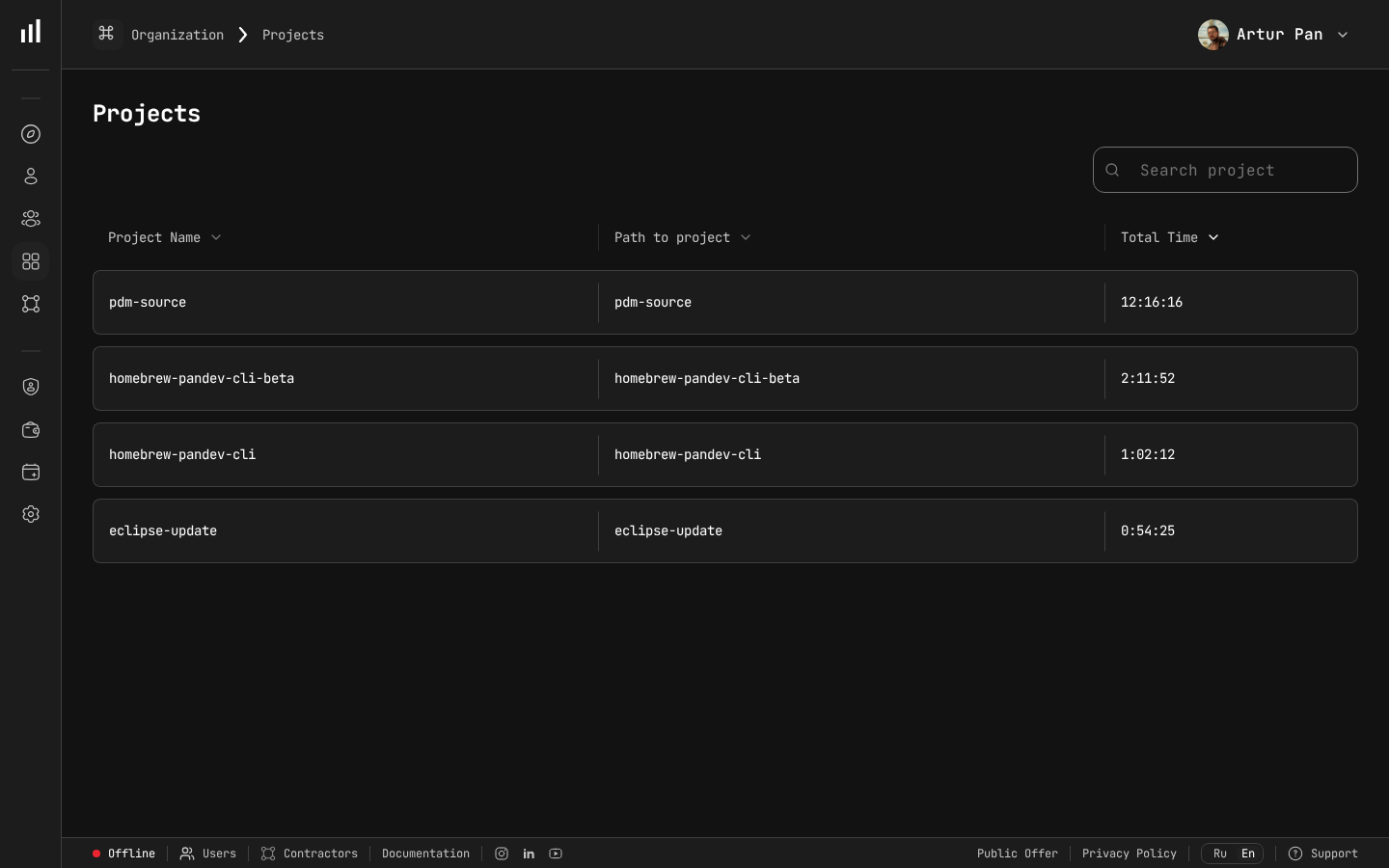
Real project hours tracked via IDE — replacing manual timesheets.
The True Cost of Manual Time Tracking
Let's quantify how much manual timesheets actually cost your outsourcing business.
PM Time Wasted
A typical PM managing a 5-developer team spends 3–5 hours per week on time tracking administration:
| Task | Time per week |
|---|---|
| Chasing developers for timesheets | 45 min |
| Reviewing and correcting entries | 60 min |
| Cross-referencing with Jira/tickets | 45 min |
| Formatting reports for clients | 60 min |
| Handling client questions about hours | 30 min |
| Total | ~4 hours |
That's 4 hours per PM per week, or roughly 200 hours per year — more than a month of working time spent on administrative time tracking instead of actual project management. McKinsey's research on developer productivity found that administrative overhead is one of the largest hidden drains on engineering output.
Revenue Leakage
Here's a less obvious cost: developers systematically underreport their hours. Not intentionally — but when you fill out a timesheet from memory at the end of the day (or worse, the end of the week), you forget things:
- The 45 minutes you spent debugging a CI pipeline issue
- The 30-minute code review for a colleague
- The 20 minutes of refactoring before starting a new feature
Studies on self-reported time tracking consistently show underreporting of 10–15%. For a team billing $50/hour, that's significant:
- 10 developers × 160 hours × 12% underreporting = 192 lost hours/month
- 192 hours × $50/hour = $9,600/month in leaked revenue
- Annual impact: $115,200
That's revenue your developers earned but your company never billed.
Billing Disputes
When your timesheet says 160 hours and the client's perception says "that feature shouldn't have taken that long," you have a dispute. Each dispute costs:
- PM time to investigate and respond (2-4 hours)
- Management time for escalation (1-2 hours)
- Goodwill damage that's impossible to quantify
- Occasionally, writing off hours to "make the client happy" (direct revenue loss)
How Automated Billing Works
Automated billing replaces the manual timesheet-to-invoice pipeline with a system that captures actual work time and converts it directly into billable data.
Here's the architecture:
Developer's IDE → Heartbeat Plugin → Activity Platform → Cost Calculation → Report/Invoice
Each step is automated:
Step 1: IDE Heartbeats Capture Activity
A lightweight plugin runs inside each developer's IDE (VS Code, IntelliJ, WebStorm, etc.). While the developer works, the plugin sends heartbeats — small metadata packets containing:
- Timestamp
- Project name
- Programming language
- Activity type (coding, debugging, reviewing)
No screen content. No keystrokes. No file contents. Just activity metadata.
The heartbeats are sent only during active work. When the developer steps away, browses the web, or switches to a non-IDE app — no heartbeats, no tracked time.
Step 2: Activity Platform Aggregates Data
The platform (like PanDev Metrics) collects heartbeats and aggregates them into structured activity records:
- Per developer: Daily, weekly, monthly hours
- Per project: Hours spent on each client project
- Per team: Combined hours across all developers on a project
This gives you an accurate, uneditable record of when each developer worked and on which project.
Step 3: Cost Calculation Applies Rates
Configure hourly rates per developer (or per role, or per client contract):
| Developer | Role | Hourly Rate | Project |
|---|---|---|---|
| Alex K. | Senior Backend | $75 | Client A — API |
| Maria S. | Frontend | $60 | Client A — Web App |
| James T. | Full-stack | $65 | Client B — Platform |
| Olga P. | QA Engineer | $50 | Client A — QA |
The platform multiplies tracked hours by rates automatically:
Alex K.: 156.5 hours × $75 = $11,737.50
Maria S.: 162.0 hours × $60 = $9,720.00
James T.: 148.5 hours × $65 = $9,652.50
Olga P.: 155.0 hours × $50 = $7,750.00
No spreadsheets. No rounding. No "I think I worked about 8 hours today."
Step 4: One-Click Report Generation
When billing day arrives, the PM clicks "Export" and gets a client-ready Excel report containing:
- Developer-level hour breakdown
- Project-level cost summary
- Daily activity chart
- Total amount due
Attach it to the invoice. Done.
Tutorial: Setting Up Automated Billing With PanDev Metrics
Here's a practical, step-by-step walkthrough.
Prerequisites
- PanDev Metrics account (cloud or on-premise)
- Admin or PM access role
- Developer team willing to install IDE plugins
Part 1: Deploy IDE Plugins (15 minutes per developer)
Each developer installs the PanDev Metrics plugin for their IDE:
- Open IDE extensions/plugins marketplace
- Search for "PanDev" or "Activity Tracker"
- Install and authenticate with the team's workspace
- Verify: the plugin status indicator shows "Active"
The plugin runs silently in the background. Developers don't need to start/stop timers, tag tasks, or do anything manual.
Pro tip: Do this during a team meeting. Walk through the installation together. It takes 2-3 minutes per person and eliminates weeks of "I'll install it later."
Part 2: Configure Projects (10 minutes)
In the PanDev Metrics admin panel:
- Navigate to Projects section
- Verify that projects are being auto-detected from IDE workspace names
- Map any projects that need renaming (e.g., map the folder name "client-a-backend" to the display name "Client A — Backend API")
- Group related projects under client accounts if needed
Part 3: Set Hourly Rates (5 minutes)
- Go to Team → Members
- For each developer, set their hourly rate
- If a developer works for multiple clients at different rates, configure per-project rates
This is the key step that turns activity tracking into cost tracking. Once rates are set, every hour of tracked activity automatically has a dollar value.
Part 4: Configure Reporting (5 minutes)
- Go to Reports → Settings
- Choose the billing period (weekly, bi-weekly, monthly)
- Select which data fields to include in client reports
- Set up the Excel export template
Part 5: Generate Your First Report (2 minutes)
- Navigate to Reports
- Select the date range and project/client
- Click Export to Excel
- Review the report — check that hours and costs look correct
- Send it with your invoice
That's it. Total setup time: under an hour for the entire team.
Handling Edge Cases
Developer works on multiple projects in one day
The IDE plugin tracks project context automatically. If a developer switches from Client A's project to Client B's project, the hours are recorded separately. The PM doesn't need to do anything — the separation happens at the data level.
Non-IDE work (meetings, code reviews in browser)
IDE heartbeat tracking captures IDE time specifically. For non-IDE work like meetings or browser-based code reviews, you have two options:
- Include a fixed overhead — agree with the client that billed hours include a percentage for non-IDE work (e.g., tracked IDE hours × 1.2)
- Bill IDE time only — some companies bill only for verified coding time and offer it at a slightly higher rate
Both approaches work. The key is to agree on the methodology upfront so there are no surprises.
Developer forgets to install or enable the plugin
Set up alerts for developers who show zero activity for more than one business day. This catches both forgotten installations and disabled plugins before the billing period ends.
Discrepancy between tracked hours and expected hours
If a developer is contracted for 160 hours/month but tracks only 120 hours of IDE time, investigate before the invoice goes out:
- Were there meetings or non-IDE work not captured?
- Was the developer on PTO or sick leave?
- Is there a technical issue with the plugin?
Address discrepancies proactively — don't let the client discover them.
Comparison: Manual vs. Automated Billing
| Dimension | Manual Timesheets | Automated (IDE-Based) |
|---|---|---|
| PM time per billing cycle | 4-8 hours | 15-30 minutes |
| Accuracy | ±15% (self-reported) | ±2% (system-tracked) |
| Revenue leakage | 10-15% underreporting | Near zero |
| Billing disputes | 2-3 per quarter | Rare |
| Client confidence | Based on trust | Based on verified data |
| Developer friction | High (fill out forms daily) | None (plugin runs silently) |
| Audit trail | Paper trail | Digital, timestamped |
| Setup effort | Ongoing | One-time (under 1 hour) |
The ROI Calculation
Let's calculate ROI for a 20-developer outsourcing team billing an average of $60/hour:
Costs saved:
- PM time: 200 hours/year × $40/hour = $8,000
- Recovered revenue from underreporting: 12% × 20 devs × 160 hours × $60 × 12 months = $138,240 (theoretical maximum)
- Even at a conservative 5% recovery: $57,600/year
- Dispute resolution savings: 8 disputes/year × 6 hours × $40 = $1,920
Conservative total annual benefit: $67,520
Against a platform cost that's a fraction of that, the ROI typically exceeds 10x in the first year.
Migration Plan: From Manual to Automated
You don't have to switch everything at once. Here's a phased approach:
Week 1-2: Parallel Tracking
Install IDE plugins across the team but continue using manual timesheets. Compare the two datasets at the end of two weeks. You'll likely find discrepancies — the automated data almost always shows different (usually higher) totals than self-reported sheets.
Week 3-4: Internal Validation
Use automated data as the primary source internally. Have PMs review the data and compare it against project delivery. Build confidence that the numbers make sense.
Month 2: Client Pilot
Pick one client with a good relationship and introduce the automated report. Say: "We've upgraded our time tracking system. Here's your report based on actual IDE activity data — it's more accurate than our previous manual process."
Month 3+: Full Rollout
Roll the automated system out to all clients. Update your invoicing process. Archive the manual timesheet templates. Never look back.
Common Questions
"What if automated tracking shows fewer hours than we've been billing?"
This is possible if your team has been rounding up. It's better to discover this yourself than to have a client discover it. Adjust your billing to match reality, and consider the transparency gain a long-term investment.
"Can we still bill for non-IDE work?"
Absolutely. IDE tracking provides the verifiable baseline. You can add agreed-upon overhead for meetings, planning, and code reviews. The key is that the core hours are now backed by data.
"What about on-premise deployment?"
PanDev Metrics supports on-premise installation for companies with strict data policies. All activity data stays on your own servers — important for clients in regulated industries.
"Do we need to change our invoicing software?"
No. The Excel export integrates with any invoicing workflow. Generate the report, attach it to your existing invoice, and reference the totals.
Key Takeaways
- Manual time tracking costs outsourcing companies thousands in wasted PM time and leaked revenue
- Self-reported hours are 10-15% inaccurate — consistently underreported
- IDE heartbeat tracking captures real activity without developer effort
- Automated cost calculation turns tracked hours into billable amounts with zero spreadsheet work
- One-click Excel exports replace hours of report formatting
- Migration from manual to automated can happen in under a month with a phased approach
Automate your billing. PanDev Metrics captures real IDE activity, calculates costs automatically, and exports client-ready reports in one click. Stop chasing timesheets — start billing with confidence.