How Teams Ship 50+ Deploys/Day: Preply, Etsy, Spotify Patterns

The 2023 Accelerate State of DevOps Report found that elite teams deploy on demand, multiple times per day — and have fewer production incidents than teams deploying monthly. After ten years and 36,000+ survey respondents, the data is unambiguous: deploying more often does not mean breaking more things. Yet most teams are stuck in monthly release cycles, treating frequency as risk instead of risk mitigation. Here's a practical roadmap to change that.
What Deployment Frequency Actually Measures
Deployment Frequency is one of the four DORA metrics. It measures how often your organization deploys code to production. Not to staging. Not to a QA environment. Production.
The 2023 State of DevOps Report benchmarks:
| Performance Level | Deployment Frequency |
|---|---|
| Elite | On-demand (multiple deploys per day) |
| High | Between once per day and once per week |
| Medium | Between once per week and once per month |
| Low | Fewer than once per month |
The gap between Elite and Low performers is staggering. Elite teams deploy 973x more frequently than low performers. This isn't a marginal difference — it's a fundamentally different way of building software.
Why Monthly Releases Cause More Incidents, Not Fewer
It sounds counterintuitive: deploy more often, have fewer problems. But the math is straightforward.
A monthly release bundles 4 weeks of changes into a single deployment. If something breaks, the blast radius is enormous. You have to sift through hundreds of commits to find the issue. Rollback means losing everything — including the 95% of changes that were fine.
A daily deploy ships a few hours of changes. If something breaks, the diff is small. You know exactly what changed. Rollback is surgical. The mean time to restore (MTTR) drops dramatically because diagnosis is trivial.
The DORA data supports this: teams with Elite deployment frequency also have the lowest Change Failure Rate. More deploys = smaller batches = lower risk per deploy.
| Batch Size | Avg Commits per Deploy | Typical Rollback Time | Debugging Difficulty |
|---|---|---|---|
| Monthly | 200–500+ | Hours to days | Very high |
| Weekly | 50–150 | 30 min to hours | Moderate |
| Daily | 5–30 | Minutes to 30 min | Low |
| On-demand | 1–5 | Minutes | Trivial |
The Prerequisites (Don't Skip These)
Before you increase deployment frequency, you need certain foundations in place. Skipping them turns "deploy more often" into "break production more often."
1. Automated Testing You Trust
You don't need 100% code coverage. You need a test suite that, when it passes, gives you confidence to deploy. Specifically:
- Unit tests covering core business logic
- Integration tests for critical user flows (login, checkout, data processing)
- Smoke tests that run post-deploy and verify the application starts correctly
If your team routinely ignores test failures ("oh, that test is flaky"), fix or delete those tests first. A test suite nobody trusts is worse than no tests — it creates a false sense of security and slows down the pipeline.
2. CI/CD Pipeline Under 15 Minutes
If your pipeline takes 45 minutes, deploying daily means developers wait 45 minutes for feedback on every change. That's not sustainable. Target:
| Pipeline Stage | Target Duration |
|---|---|
| Build | Under 2 minutes |
| Unit tests | Under 5 minutes |
| Integration tests | Under 8 minutes |
| Deploy to staging | Under 2 minutes |
| Smoke tests | Under 2 minutes |
| Total | Under 15 minutes |
Common speedups: parallelize test suites, cache dependencies (Docker layers, npm/Maven caches), use faster CI runners, split slow tests into a separate non-blocking pipeline.
3. Feature Flags
When you deploy daily, you need to decouple deployment from release. Feature flags let you merge and deploy code that isn't ready for users yet. This eliminates long-lived feature branches and the merge conflicts that come with them.
Essential feature flag capabilities:
- Toggle features per environment, per user segment, or by percentage
- Kill switch: disable a feature in production within seconds, without a new deploy
- Cleanup: process for removing old flags (tech debt accumulates fast)
4. Monitoring and Alerting
You can't deploy daily if you don't know when something breaks. Minimum viable monitoring:
- Application error rate tracking
- Latency percentiles (p50, p95, p99)
- Key business metric dashboards (conversion, sign-ups, transaction volume)
- Alerting with clear ownership (who gets paged, and what's their runbook?)
5. Rollback Capability Under 5 Minutes
If rollback requires a meeting, a ticket, and a deployment window, you can't deploy daily. Rollback must be:
- Triggerable by a single engineer
- Executable in under 5 minutes
- Tested regularly (if you've never rolled back, your first rollback will be during an incident)
The Roadmap: Month by Month
Here's a realistic timeline for moving from monthly releases to daily deploys. This assumes a team of 8–15 engineers with an existing CI/CD pipeline.
Month 1: Baseline and Foundations
Goal: Understand where you are and fix the biggest blocker.
- Measure your current Deployment Frequency. Count actual production deploys over the last 90 days. Not "releases" or "versions" — actual deployments.
- Audit your CI pipeline speed. If it's over 15 minutes, make pipeline optimization the first project.
- Inventory your test suite. Identify and fix or remove flaky tests. Calculate the "false failure rate" — how often does CI fail for reasons unrelated to the code change?
- Set up deployment tracking. Every deploy should be recorded with a timestamp, the commit SHA, and who triggered it.
Target by end of Month 1: Pipeline under 20 minutes, flaky test rate under 5%.
Month 2: Move to Biweekly
Goal: Cut your release cycle in half.
- If you're deploying monthly, move to biweekly deployments.
- Create a lightweight release checklist (not a heavyweight process — a checklist).
- Start each deploy with a small batch: limit the number of features per release to 3–5.
- After each deploy, run a 15-minute retrospective: What broke? What was slow? What was scary?
Target by end of Month 2: Deploying every 2 weeks with a documented, repeatable process.
Month 3: Move to Weekly
Goal: Deploy every week, same day.
- Pick a deploy day (Tuesday and Wednesday are popular — Monday has weekend carryover, Friday adds weekend risk).
- Implement feature flags for any in-progress work that can't be completed within a week.
- Automate the release checklist. Anything that requires a human should be questioned: does this step actually need a person, or can it be a CI job?
- Start tracking Change Failure Rate alongside Deployment Frequency. You want to increase frequency without increasing failure rate.
Target by end of Month 3: Weekly deploys with under 15% Change Failure Rate.
Month 4: Move to Twice Per Week
Goal: Prove that more frequent deploys don't increase risk.
- Deploy Monday/Wednesday or Tuesday/Thursday.
- Remove remaining manual approval gates. Replace "manager approval" with "automated test pass + peer review approval."
- Introduce canary deployments or blue-green deployments to reduce blast radius.
- Start measuring MTTR. When something does break, how fast do you recover?
Target by end of Month 4: Deploying 2x per week with MTTR under 4 hours.
Month 5: Move to Daily
Goal: Deploy at least once per business day.
- Move to trunk-based development or short-lived branches (merge within 1–2 days).
- Implement automated deploy-on-merge: when a MR is merged to main and CI passes, it deploys automatically.
- Set up a deploy dashboard visible to the whole team: what's deployed, what's in the queue, what's the current status.
- Eliminate deploy freezes except for genuinely critical events (major infrastructure migration, not "it's Thursday afternoon").
Target by end of Month 5: Daily deploys, automated, with monitoring and rollback in place.
Month 6: Move to On-Demand
Goal: Any engineer can deploy any time, multiple times per day.
- Self-service deploys: no coordination needed, no deploy queue, no "it's my turn."
- Each merged MR deploys independently (no batching).
- Progressive rollout: new code goes to 1% of traffic, then 10%, then 100%.
- Invest in observability: distributed tracing, error budgets, SLO dashboards.
Target by end of Month 6: On-demand deployment capability. Elite DORA performance.
What Changes in Your Team Culture
Increasing deployment frequency changes more than your pipeline. It changes how your team works.
Code review gets faster. When the goal is to merge and deploy today, reviewers can't sit on MRs for 3 days. Teams that deploy daily typically have Pickup Time under 4 hours.
Scope per ticket shrinks. You can't ship a 2-week feature in a daily deploy cadence. Work gets broken into smaller, independently deployable increments. This is a good thing — smaller scope means less risk and faster feedback.
Incidents feel less catastrophic. When you deploy daily, a production issue is "roll back this morning's change." When you deploy monthly, it's "cancel Thanksgiving."
Product teams get happier. Features ship in days, not months. Experiments can be run and concluded within a week. The feedback loop between "we had an idea" and "users are using it" compresses dramatically.
Metrics to Track During the Transition
Don't just track Deployment Frequency in isolation. Monitor these alongside to ensure you're improving, not just going faster recklessly:
| Metric | What to Watch For | Red Flag |
|---|---|---|
| Deployment Frequency | Steady increase over months | Plateau or decrease |
| Change Failure Rate | Should stay flat or decrease | Rising with frequency |
| MTTR | Should decrease as batch size shrinks | Increasing (rollback isn't working) |
| Lead Time | Should decrease as process improves | Flat despite more deploys |
| CI Pipeline Duration | Must stay under 15 min | Creeping up as tests are added |
| Flaky Test Rate | Must stay under 5% | Rising, causing "just re-run it" culture |
Common Objections (And Responses)
"We're in a regulated industry — we can't deploy daily." Regulation typically requires auditability and approval, not infrequent deploys. Automated audit trails, mandatory code review, and automated compliance checks satisfy most regulatory requirements while enabling daily deployment. Some of the most regulated industries (banking, healthcare) include organizations deploying multiple times per day.
"Our QA team needs time to test." Shift testing left. Automated tests run in CI. QA focuses on exploratory testing and test automation, not manual regression. QA should be involved before the code is written (test planning), not after it's already in a deploy queue.
"We have too many dependencies between services." This is a valid concern and often the hardest to solve. Start by deploying independent services daily while maintaining a weekly cadence for tightly coupled services. Over time, invest in API contracts and backward compatibility to decouple deploy schedules.
"Our customers don't want constant changes." Deploy frequently, release carefully. Feature flags decouple deployment from user-facing changes. You can deploy 10 times a day without users noticing any change, then "release" a feature to all users with a flag flip.
Measuring Deployment Frequency Properly
What counts as a "deploy"? Be precise:
- Count: Automated deploys to production triggered by CI/CD
- Count: Manual production deploys (but work to eliminate these)
- Count: Hotfixes and rollbacks (they're deployments)
- Don't count: Deploys to staging, QA, or development environments
- Don't count: Infrastructure changes (unless they affect application behavior)
- Don't count: Config changes via feature flag systems (no code deployed)
Track deployment frequency per team or per service, not per organization. An organization-level number (like "we deploy 50 times per day") can mask the fact that one service deploys constantly while others deploy monthly.
PanDev Metrics calculates Deployment Frequency from your CI/CD pipeline data across GitLab, GitHub, Bitbucket, and Azure DevOps — automatically segmented by team, service, and time period.
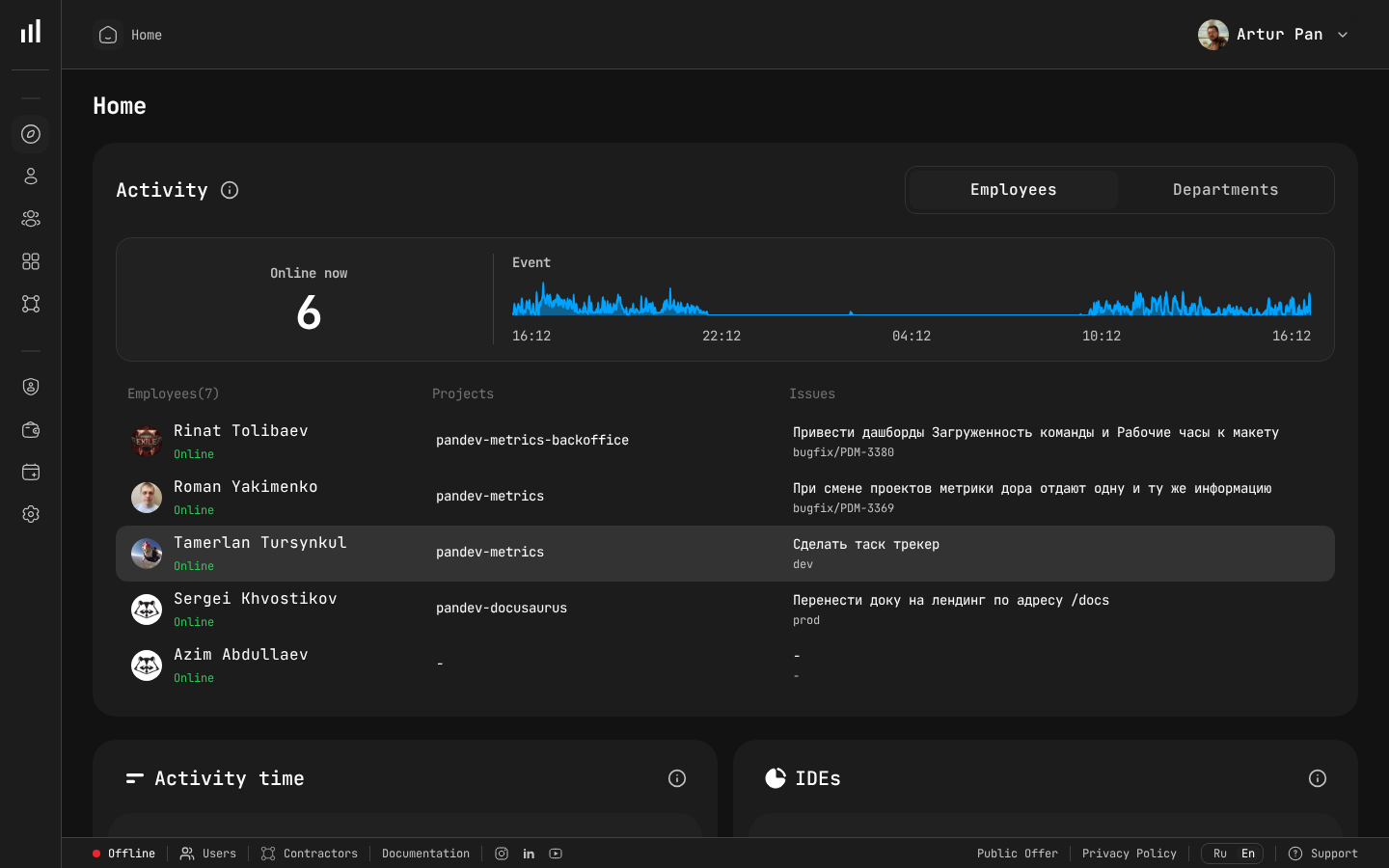
PanDev Metrics dashboard showing real-time team activity and deployment events.
The Bottom Line
Moving from monthly to daily deploys is not a weekend project. It's a 4–6 month journey that requires investment in testing, pipeline speed, feature flags, and monitoring. But the payoff is real: faster feedback, lower risk, fewer incidents, and happier teams.
The DORA data across ten years of research — published in Accelerate (Forsgren, Humble, Kim, 2018) and updated annually — is unambiguous: deploying more frequently is strictly better, as long as you invest in the supporting practices. There are no elite-performing teams deploying monthly. This finding is consistent with the CNCF Annual Survey, which shows organizations adopting cloud-native practices (containers, CI/CD automation) achieving significantly higher deployment cadence.
Start measuring, set a realistic timeline, and move one step at a time.
Benchmarks from the DORA State of DevOps Reports (2019–2023), published by Google Cloud / DORA team.
Want to track your Deployment Frequency alongside Lead Time, Change Failure Rate, and MTTR — all in one place? PanDev Metrics connects to your CI/CD pipeline and shows your DORA performance in real time. See where you stand →