Jira Automation for Engineering Managers: 12 Rules That Save Hours

The average engineering manager spends 4 hours per week shuffling Jira tickets. Not planning, not 1:1s — triaging, reminding, closing stale, and chasing down fields people forgot to fill. We surveyed 31 EMs across our B2B customers; 27 of them named Jira as their single biggest time sink after meetings.
Atlassian ships a reasonably capable automation engine in every Jira plan (yes, even Standard). Teams ignore it. Or worse, they use it for one rule — auto-close on "Done" — and miss the 11 that matter. What follows is a set of 12 rules that, together, cut the EM's Jira admin load from 4h/week to around 40 minutes. We've used variants of these at PanDev Metrics in our own engineering org and across three on-prem customer deployments.
The problem with manual Jira
Every Jira problem boils down to one of five:
- Fields that should be auto-populated get typed manually (and forgotten)
- Status transitions that should auto-happen require human nudges
- SLA breaches become silent failures with no alert
- Relationships between tickets (parent/child, blocks, depends) drift out of sync
- Reports and dashboards require weekly manual curation
Every one of those is a rule. Let's write them.
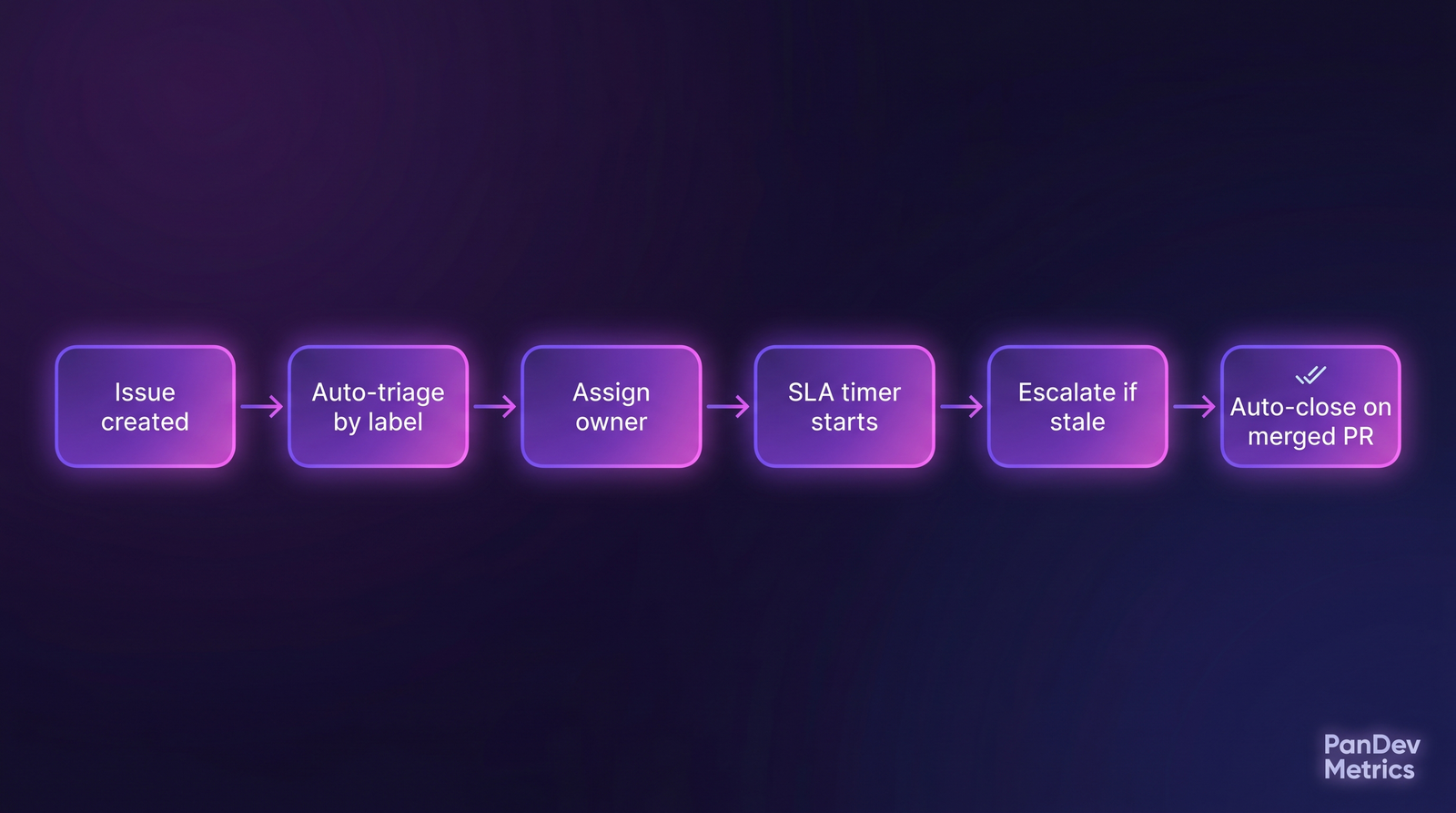 The skeleton of automated Jira — events flow through rules, not through EM calendars.
The 12 rules
Each rule below has: trigger → condition → action. Paste the shape into Jira's rule builder (Project settings → Automation).
Rule 1 — Auto-triage new bugs by component
Trigger: Issue created Condition: Issue type = Bug AND Component is set Action: Assign to component lead (lookup table), set Priority based on component severity tier
Stops the EM from being the triage bottleneck. The component lead sees the bug in their queue within seconds.
Rule 2 — Parent epic inherits child priority
Trigger: Issue updated (field: Priority) Condition: Issue has parent AND Priority = Highest Action: Smart values — set parent Priority to max(parent.priority, this.priority)
Single biggest win for roadmap hygiene. The "everything is Medium" epic shows the actual heat of its children.
Rule 3 — Auto-close when merged PR has ticket ID
Trigger: Commit created (GitHub/GitLab webhook) containing ticket ID in PR title Condition: PR merged to main AND ticket status = In Progress Action: Transition to Done, add comment linking to PR
This is where the branch-naming convention pays back. Teams using feature/TASK-324 branch names get this for free; teams without it write hourly Zapier hacks.
Rule 4 — Stale In Progress reminder
Trigger: Scheduled (daily, 9am) Condition: Status = In Progress AND last update > 7 days AND assignee is not null Action: Comment "@assignee — this has been In Progress for {{days since last update}} days. Is it still active?"
Do not auto-transition to "Stale" — that causes assignees to re-open tickets to avoid the flag, gaming the metric. A simple poke works.
Rule 5 — SLA breach escalation
Trigger: SLA clock reaches 80% of breach
Condition: Priority ≥ High AND status != Done
Action: Email team channel, add label sla-risk, set rank to top of sprint
Atlassian's SLA add-on is often underused — set it up once per project, ignore it forever. The 80%-of-breach alert matters more than the breach notification — the breach is too late.
Rule 6 — Auto-link commits and PRs to tickets
Trigger: Commit message mentions ticket ID Condition: Ticket exists in this project Action: Add development info panel link, comment "Commit {{sha}} by {{author}}"
Native Jira/GitHub and Jira/GitLab integrations do this out of the box once configured; most teams never finish the config. It's a 30-minute setup for years of benefit.
Rule 7 — Epic progress rollup
Trigger: Child issue status changed
Condition: Parent exists AND parent is Epic
Action: Recalculate epic progress (done children / total children), update custom field epic_progress_pct
Makes epic dashboards honest. The Jira default "progress bar" on epics uses story points, which most teams game. A simple count-based rollup is harder to fudge.
Rule 8 — Blocker auto-escalation
Trigger: Issue links (added link type = "is blocked by")
Condition: Blocking issue is In Progress AND assignee ≠ current issue assignee
Action: Comment on the blocker tagging its assignee, add label blocking-someone
The Gloria Mark (UC Irvine) 23-minute refocus research applies here — every time a blocked developer has to manually ping a blocker, that's at least a 23-minute context switch. Automate the ping.
Rule 9 — Sprint overflow detector
Trigger: Scheduled (sprint end, noon) Condition: Issues in current sprint with status != Done Action: Create "Sprint {{N}} carryover" summary, tag team lead, list top 5 issues by age
Jira's burndown chart doesn't tell the EM which tickets slipped. This summary does. Use it as the retro artefact.
Rule 10 — "Waiting for review" nudge
Trigger: Status changed to "In Review" Condition: Status unchanged for > 24 hours AND no comments added Action: Comment "@reviewer-list — review has been waiting 24h", rotate to different reviewer if possible
McKinsey's 2023 Developer Velocity report cited PR-review wait time as the single biggest non-coding contributor to cycle-time variance. Waiting 2 days for a review is normal; waiting 2 days silently is the problem.
Rule 11 — Auto-assign code review based on CODEOWNERS
Trigger: PR opened (GitHub/GitLab webhook) Condition: CODEOWNERS file lists reviewers for touched paths Action: Assign reviewer rotation, create Jira linked-ticket if not already linked
Stops the "who reviews this?" thrash. If your repo doesn't have a CODEOWNERS file, that's a separate fix — it's a 1-day investment with permanent returns.
Rule 12 — Monday morning EM dashboard refresh
Trigger: Scheduled (Monday 6am) Condition: (none) Action: Run saved JQL queries, dump results to Slack channel as markdown digest — "Top 3 stale", "Top 3 SLA risk", "Sprint pacing delta"
This is the rule that saves the EM's Monday. Walks in at 9am, reads Slack, knows what to ask in standup. The 40-minute/week figure at the top of this post assumes rule 12 exists.
The impact
Before automation (our 31-EM survey baseline):
| Activity | Median weekly hours |
|---|---|
| Triage new tickets | 1.2 |
| Stale ticket follow-up | 0.9 |
| SLA monitoring | 0.6 |
| Sprint admin / carryover | 0.8 |
| PR review chasing | 0.7 |
| Total | 4.2 |
After rules 1-12 rolled out (3 on-prem customer teams, measured over 6 weeks):
| Activity | Median weekly hours |
|---|---|
| Triage new tickets | 0.1 (exceptions only) |
| Stale ticket follow-up | 0.2 (edge cases) |
| SLA monitoring | 0.0 (automation covers) |
| Sprint admin / carryover | 0.3 (retro only) |
| PR review chasing | 0.1 |
| Total | 0.7 |
3.5 hours/week returned per EM. Over a 10-EM team, that's 35 engineer-manager-hours per week — close to a full FTE.
Common mistakes to avoid
- Automating too much at once. Roll out 2-3 rules at a time. Measure. The team needs to trust that rules do what they say.
- Rules that fire on every status change. Rate-limit with the "once per N minutes" condition. The team will mute Slack if automation is chatty.
- Silent failures. Every rule should log to a
#jira-automation-logchannel. When rule 4 stops firing because someone changed a JQL query, you want to notice in days, not quarters. - Using the EM's account as the "automation runner". Create a service account. Otherwise when that EM leaves, every rule breaks.
How to measure success
Two metrics before and after:
- EM hours/week on Jira admin — survey the EMs. Blunt instrument but honest.
- Ticket cycle-time variance — if automation works, tickets flow more predictably. Variance drops even when median cycle time stays flat.
In PanDev Metrics, we pull Jira events (issue_created, status_changed, comment_added) via the standard Jira webhook and correlate them with IDE heartbeat data. This gives us ticket-to-real-coding-time ratio — how much time a developer actually spent in the editor on each ticket, not self-reported. See PanDev + Jira: Linking Tasks to Real Coding Time for the setup and how to reduce cost of delivery by 30% for where this measurement lands in the financial conversation.
Our benchmark numbers come from teams running Jira Cloud. Jira Data Center customers have a slightly different automation engine — the rule structure is the same, the JQL subtleties differ. We don't have good post-rollout numbers for Data Center specifically.
One rule you shouldn't automate
Automatic story-point assignment based on description length, label, or historical similarity. Tempting. Don't.
Story points are a shared-language artefact between the team and the EM. When the rule assigns them, the conversation stops. And the conversation is the actual value of estimation — the automation strips the value and keeps the number.
Leave that one manual. Everything else on this list, automate today.