On-Premise Deployment: PanDev Metrics With Docker and Kubernetes in 30 Minutes

Not every company can send engineering data to the cloud. Regulated industries, government contractors, and security-conscious organizations need their metrics platform on-premise — inside their own network, on their own servers. According to the CNCF Annual Survey, over 80% of organizations now run Kubernetes in production, making container-based on-premise deployment a well-understood operational pattern.
PanDev Metrics supports full on-premise deployment via Docker Compose (for small teams) and Kubernetes with Helm (for larger organizations). This guide covers both paths, including LDAP authentication, TLS certificates, and persistent storage.
Architecture Overview
PanDev Metrics on-premise consists of these components:
┌─────────────────────────────────────────────┐
│                  Load Balancer               │
│              (nginx / traefik)               │
└──────────────────┬──────────────────────────┘
                   │
         ┌─────────┴─────────┐
         │                   │
┌────────▼──────┐   ┌───────▼───────┐
│   Web App     │   │   API Server  │
│  (frontend)   │   │  (backend)    │
│  Port 3000    │   │  Port 8080    │
└───────────────┘   └───────┬───────┘
                            │
              ┌─────────────┼─────────────┐
              │             │             │
     ┌────────▼──┐  ┌──────▼─────┐  ┌───▼────────┐
     │ PostgreSQL │  │   Redis    │  │ Webhook    │
     │ (primary   │  │ (cache +   │  │ Worker     │
     │  database) │  │  queues)   │  │ (async     │
     │ Port 5432  │  │ Port 6379  │  │  processing│
     └────────────┘  └────────────┘  └────────────┘
| Component | Purpose | Resources (minimum) |
|---|---|---|
| Web App | Frontend UI | 512 MB RAM, 0.5 CPU |
| API Server | REST API, webhook receiver | 1 GB RAM, 1 CPU |
| Webhook Worker | Async processing of git events | 1 GB RAM, 1 CPU |
| PostgreSQL | Primary data store | 2 GB RAM, 1 CPU, 20 GB disk |
| Redis | Caching, job queues | 512 MB RAM, 0.5 CPU |
Minimum total: 5 GB RAM, 4 CPU cores, 25 GB disk for a team of up to 50 developers.
Option A: Docker Compose (Quick Start)
Best for teams under 50 developers or proof-of-concept deployments.
Prerequisites
- Docker Engine 24+ and Docker Compose v2
- A Linux server with 8 GB RAM and 4 CPU cores
- A domain name pointing to the server (for TLS)
Step 1: Download the Compose File
mkdir -p /opt/pandev && cd /opt/pandev
curl -fsSL https://get.pandev-metrics.com/docker/docker-compose.yml -o docker-compose.yml
curl -fsSL https://get.pandev-metrics.com/docker/.env.example -o .env
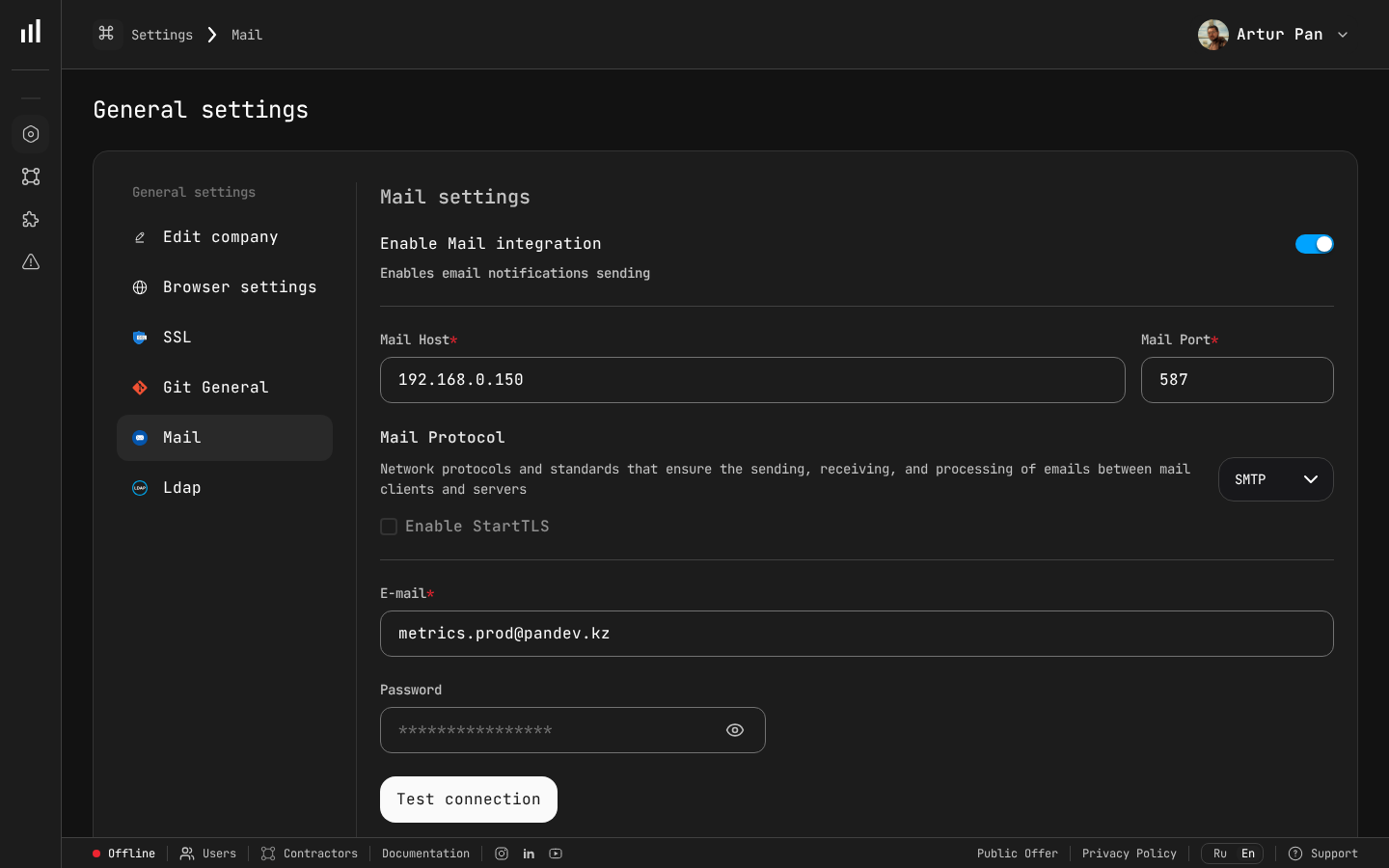 Mail settings let you configure SMTP host, port, protocol, and sender email — essential for on-premise deployments where email notifications need to route through your internal mail server.
Step 2: Configure Environment Variables
Edit the .env file:
# .env — PanDev Metrics On-Premise Configuration

# === Required ===
PANDEV_LICENSE_KEY=your-license-key-here
PANDEV_DOMAIN=pandev.internal.company.com
PANDEV_ADMIN_EMAIL=admin@company.com
PANDEV_ADMIN_PASSWORD=change-me-immediately

# === Database ===
POSTGRES_PASSWORD=strong-random-password-here
POSTGRES_DB=pandev
REDIS_PASSWORD=another-strong-password

# === TLS ===
TLS_CERT_PATH=/opt/pandev/certs/fullchain.pem
TLS_KEY_PATH=/opt/pandev/certs/privkey.pem

# === Optional: LDAP ===
# LDAP_ENABLED=true
# LDAP_URL=ldaps://ldap.company.com:636
# LDAP_BASE_DN=dc=company,dc=com
# LDAP_BIND_DN=cn=pandev-svc,ou=service-accounts,dc=company,dc=com
# LDAP_BIND_PASSWORD=ldap-service-password
# LDAP_USER_FILTER=(uid={username})
# LDAP_CA_CERT_PATH=/opt/pandev/certs/ldap-ca.pem
Generate strong passwords:
openssl rand -base64 32  # Use for POSTGRES_PASSWORD
openssl rand -base64 32  # Use for REDIS_PASSWORD
Step 3: Add TLS Certificates
mkdir -p /opt/pandev/certs

# Option 1: Copy your corporate certificates
cp /path/to/fullchain.pem /opt/pandev/certs/
cp /path/to/privkey.pem /opt/pandev/certs/

# Option 2: Generate self-signed (for testing only)
openssl req -x509 -nodes -days 365 \
  -newkey rsa:2048 \
  -keyout /opt/pandev/certs/privkey.pem \
  -out /opt/pandev/certs/fullchain.pem \
  -subj "/CN=pandev.internal.company.com"
Step 4: Start the Stack
cd /opt/pandev
docker compose up -d
Watch the logs:
docker compose logs -f
You should see:
pandev-api     | ✅ Database connected
pandev-api     | ✅ Redis connected
pandev-api     | ✅ Migrations applied
pandev-api     | ✅ API server listening on :8080
pandev-web     | ✅ Web app listening on :3000
pandev-worker  | ✅ Webhook worker started, processing queue...
pandev-nginx   | ✅ HTTPS on :443 → web:3000, api:8080
Step 5: Verify
Open https://pandev.internal.company.com in your browser. Log in with the admin email and password from your .env file.
Docker Compose Commands Reference
# Start
docker compose up -d

# Stop
docker compose down

# Update to latest version
docker compose pull && docker compose up -d

# View logs
docker compose logs -f [service-name]

# Backup database
docker compose exec postgres pg_dump -U pandev pandev > backup.sql

# Restore database
docker compose exec -T postgres psql -U pandev pandev < backup.sql
Option B: Kubernetes with Helm (Production)
Best for larger organizations, high availability requirements, or existing Kubernetes infrastructure.
Prerequisites
- Kubernetes 1.26+
- Helm 3.12+
kubectlconfigured for your cluster- A StorageClass for persistent volumes
- An Ingress controller (nginx-ingress or Traefik)
Step 1: Add the Helm Repository
helm repo add pandev https://charts.pandev-metrics.com
helm repo update
Step 2: Create a Values File
# values-production.yaml

global:
  domain: pandev.internal.company.com
  licenseKey: "your-license-key-here"

api:
  replicas: 2
  resources:
    requests:
      memory: "1Gi"
      cpu: "1000m"
    limits:
      memory: "2Gi"
      cpu: "2000m"

web:
  replicas: 2
  resources:
    requests:
      memory: "512Mi"
      cpu: "500m"
    limits:
      memory: "1Gi"
      cpu: "1000m"

worker:
  replicas: 2
  resources:
    requests:
      memory: "1Gi"
      cpu: "1000m"
    limits:
      memory: "2Gi"
      cpu: "2000m"

postgresql:
  enabled: true        # Set to false if using external database
  auth:
    password: "strong-random-password"
    database: pandev
  primary:
    persistence:
      size: 50Gi
      storageClass: "gp3"   # Adjust for your cloud provider
    resources:
      requests:
        memory: "2Gi"
        cpu: "1000m"

redis:
  enabled: true
  auth:
    password: "another-strong-password"
  master:
    persistence:
      size: 5Gi

ingress:
  enabled: true
  className: nginx
  annotations:
    cert-manager.io/cluster-issuer: letsencrypt-prod
  tls:
    - secretName: pandev-tls
      hosts:
        - pandev.internal.company.com

# LDAP Configuration (optional)
ldap:
  enabled: false
  # url: "ldaps://ldap.company.com:636"
  # baseDN: "dc=company,dc=com"
  # bindDN: "cn=pandev-svc,ou=service-accounts,dc=company,dc=com"
  # bindPassword: "ldap-service-password"
  # userFilter: "(uid={username})"
  # caCert: |
  #   -----BEGIN CERTIFICATE-----
  #   ... your LDAP CA certificate ...
  #   -----END CERTIFICATE-----
Step 3: Create the Namespace and Secrets
kubectl create namespace pandev

# Create the license secret
kubectl create secret generic pandev-license \
  --namespace pandev \
  --from-literal=license-key=your-license-key-here

# If using external TLS certificates (not cert-manager)
kubectl create secret tls pandev-tls \
  --namespace pandev \
  --cert=/path/to/fullchain.pem \
  --key=/path/to/privkey.pem
Step 4: Install
helm install pandev pandev/pandev-metrics \
  --namespace pandev \
  --values values-production.yaml
Watch the rollout:
kubectl -n pandev get pods -w
Expected output:
NAME                            READY   STATUS    RESTARTS   AGE
pandev-api-7d4b8f9c6-abcde     1/1     Running   0          2m
pandev-api-7d4b8f9c6-fghij     1/1     Running   0          2m
pandev-web-5c6d7e8f9-klmno     1/1     Running   0          2m
pandev-web-5c6d7e8f9-pqrst     1/1     Running   0          2m
pandev-worker-3a4b5c6d7-uvwxy  1/1     Running   0          2m
pandev-worker-3a4b5c6d7-zabcd  1/1     Running   0          2m
pandev-postgresql-0             1/1     Running   0          2m
pandev-redis-master-0           1/1     Running   0          2m
Step 5: Verify
# Check the ingress
kubectl -n pandev get ingress

# Test API health
curl -k https://pandev.internal.company.com/api/health

# Expected response:
# {"status":"ok","version":"2.14.0","database":"connected","redis":"connected"}
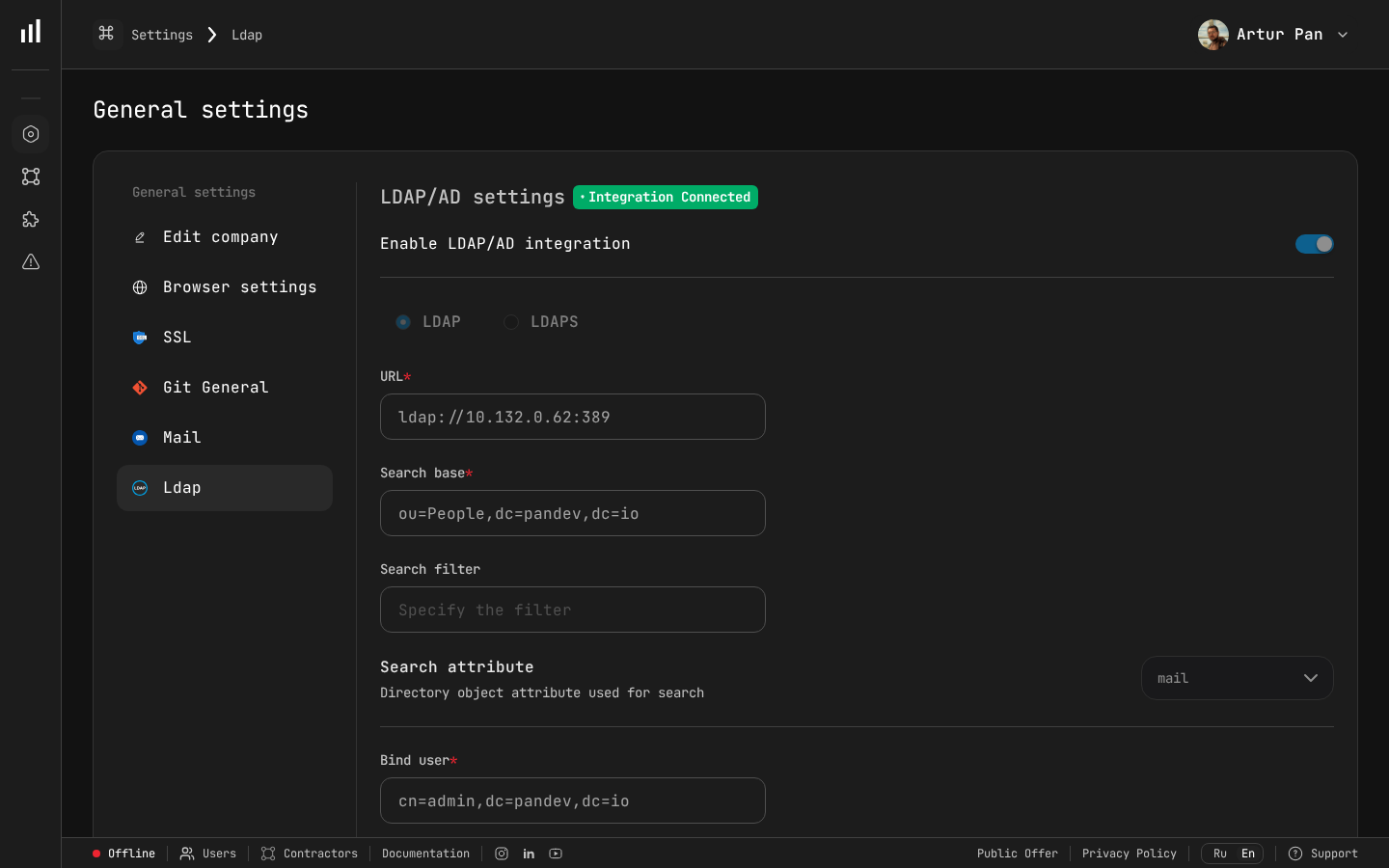 The LDAP settings page shows your Active Directory integration status and configuration options.
LDAP Authentication
Both Docker and Kubernetes deployments support LDAP and LDAPS for user authentication.
Basic LDAP Setup
Enable LDAP in your configuration:
# Docker (.env)
LDAP_ENABLED=true
LDAP_URL=ldaps://ldap.company.com:636
LDAP_BASE_DN=dc=company,dc=com
LDAP_BIND_DN=cn=pandev-svc,ou=service-accounts,dc=company,dc=com
LDAP_BIND_PASSWORD=ldap-service-password
LDAP_USER_FILTER=(uid={username})
LDAP_EMAIL_ATTR=mail
LDAP_DISPLAY_NAME_ATTR=displayName
Custom CA Certificates
If your LDAP server uses a certificate signed by an internal CA:
# Docker: mount the CA cert
# In docker-compose.yml, add to the api service:
volumes:
  - /opt/pandev/certs/ldap-ca.pem:/etc/ssl/certs/ldap-ca.pem:ro

# Set the environment variable
LDAP_CA_CERT_PATH=/etc/ssl/certs/ldap-ca.pem
For Kubernetes, include the CA certificate directly in values-production.yaml:
ldap:
  enabled: true
  url: "ldaps://ldap.company.com:636"
  caCert: |
    -----BEGIN CERTIFICATE-----
    MIIDXTCCAkWgAwIBAgIJAJC1HiIAZAiUMA0Gcz...
    (paste your full CA certificate here)
    -----END CERTIFICATE-----
LDAP Group Mapping
Map LDAP groups to PanDev roles:
LDAP_GROUP_BASE_DN=ou=groups,dc=company,dc=com
LDAP_ADMIN_GROUP=cn=engineering-leads,ou=groups,dc=company,dc=com
LDAP_MANAGER_GROUP=cn=team-leads,ou=groups,dc=company,dc=com
LDAP_USER_GROUP=cn=developers,ou=groups,dc=company,dc=com
Configuring Webhooks for On-Premise
When running on-premise, your git provider needs to send webhooks to your internal PanDev instance.
GitLab (Self-Managed)
If both GitLab and PanDev are on the same network, use the internal URL:
Webhook URL: https://pandev.internal.company.com/api/v1/gitlab/webhook
If GitLab can't reach PanDev directly, set up a network route or reverse proxy.
GitHub Enterprise
Same approach — point webhooks to your internal PanDev URL:
Webhook URL: https://pandev.internal.company.com/api/v1/github/webhook
Firewall Rules
Ensure these network paths are open:
Git Provider → PanDev API (port 443)     # Webhooks
Developer machines → PanDev API (port 443) # IDE plugins
PanDev API → Git Provider API (port 443)   # Data fetching
PanDev API → LDAP server (port 636)        # Authentication
Backup and Recovery
Database Backup
Schedule daily backups:
# Docker
0 2 * * * docker compose -f /opt/pandev/docker-compose.yml exec -T postgres \
  pg_dump -U pandev pandev | gzip > /opt/pandev/backups/pandev-$(date +\%Y\%m\%d).sql.gz

# Kubernetes
0 2 * * * kubectl -n pandev exec pandev-postgresql-0 -- \
  pg_dump -U pandev pandev | gzip > /backups/pandev-$(date +\%Y\%m\%d).sql.gz
Full Recovery
# Docker
gunzip < /opt/pandev/backups/pandev-20260308.sql.gz | \
  docker compose exec -T postgres psql -U pandev pandev

# Kubernetes
gunzip < pandev-20260308.sql.gz | \
  kubectl -n pandev exec -i pandev-postgresql-0 -- psql -U pandev pandev
Upgrading
Docker
cd /opt/pandev
docker compose pull
docker compose up -d
Database migrations run automatically on startup.
Kubernetes
helm repo update
helm upgrade pandev pandev/pandev-metrics \
  --namespace pandev \
  --values values-production.yaml
Check the release notes before upgrading — major versions may require manual migration steps.
Monitoring
Health Endpoints
# API health
curl https://pandev.internal.company.com/api/health

# Detailed status
curl https://pandev.internal.company.com/api/health/detailed
# Returns: database latency, redis latency, queue depth, worker status
Prometheus Metrics
PanDev exposes a /metrics endpoint for Prometheus:
# prometheus.yml
scrape_configs:
  - job_name: pandev
    static_configs:
      - targets: ['pandev.internal.company.com:443']
    scheme: https
    metrics_path: /api/metrics
Key metrics to monitor:
| Metric | Alert threshold |
|---|---|
pandev_webhook_queue_depth | > 1000 |
pandev_api_response_time_p99 | > 2s |
pandev_database_connections_active | > 80% of pool |
pandev_worker_error_rate | > 5% |
Troubleshooting
| Issue | Solution |
|---|---|
| Database connection refused | Check POSTGRES_PASSWORD matches in both the database and API config |
| LDAP authentication fails | Test with ldapsearch from the PanDev server to verify connectivity and credentials |
| Webhooks timing out | Verify firewall rules allow inbound traffic from your git provider |
| IDE plugins can't connect | Ensure developers configure apiUrl to point to your on-premise instance, not the cloud URL |
| High memory usage | Increase PostgreSQL shared_buffers and work_mem in the Helm values or Docker Compose |
| Slow webhook processing | Scale up the worker replicas: helm upgrade --set worker.replicas=4 or adjust Docker Compose |
Keep your engineering data on your infrastructure. Deploy PanDev Metrics on-premise with Docker or Kubernetes — full control, full privacy, same powerful dashboards. The Flexera 2024 State of the Cloud Report confirms that hybrid and on-premise deployments remain a top priority for enterprises managing sensitive data.