Prompt Engineering for Dev Teams: A Shared Playbook

Most engineering teams in 2026 have three distinct kinds of prompt users on the same payroll. There's the power user who has a 60-line Cursor rules file honed over 6 months. There's the casual user who copy-pastes "fix this bug please" and is happy enough. And there's the skeptical user who tried it twice, got bad results, and concluded AI-assisted coding is overhyped. Your team's AI productivity is dragged to the average of those three, not the top.
Individual prompt skill is a personal productivity hack. Team prompt engineering is a process — and most teams haven't treated it as one yet. We'll lay out a playbook for codifying prompts across the team, including what to share, what to keep individual, the metrics that tell you it's working, and the specific failure modes we've seen inside our customers.
The problem: prompt skill is tacit knowledge
Stack Overflow's 2024 Developer Survey found 76% of developers use AI tools but only 12% rate the output as "highly trustworthy" without review. The gap between usage and trust is where team-level prompt engineering lives. Individual developers compensate with personal habits. Teams compensate by sharing those habits.
GitHub's internal research on Copilot adoption (Kalliamvakou et al., 2024) found that teams with shared prompt libraries saw 35% higher acceptance rates on AI-suggested code than teams where every developer crafted prompts from scratch. The mechanism isn't mysterious: shared prompts encode implicit team knowledge (conventions, style, test patterns) that a raw prompt can't transmit.
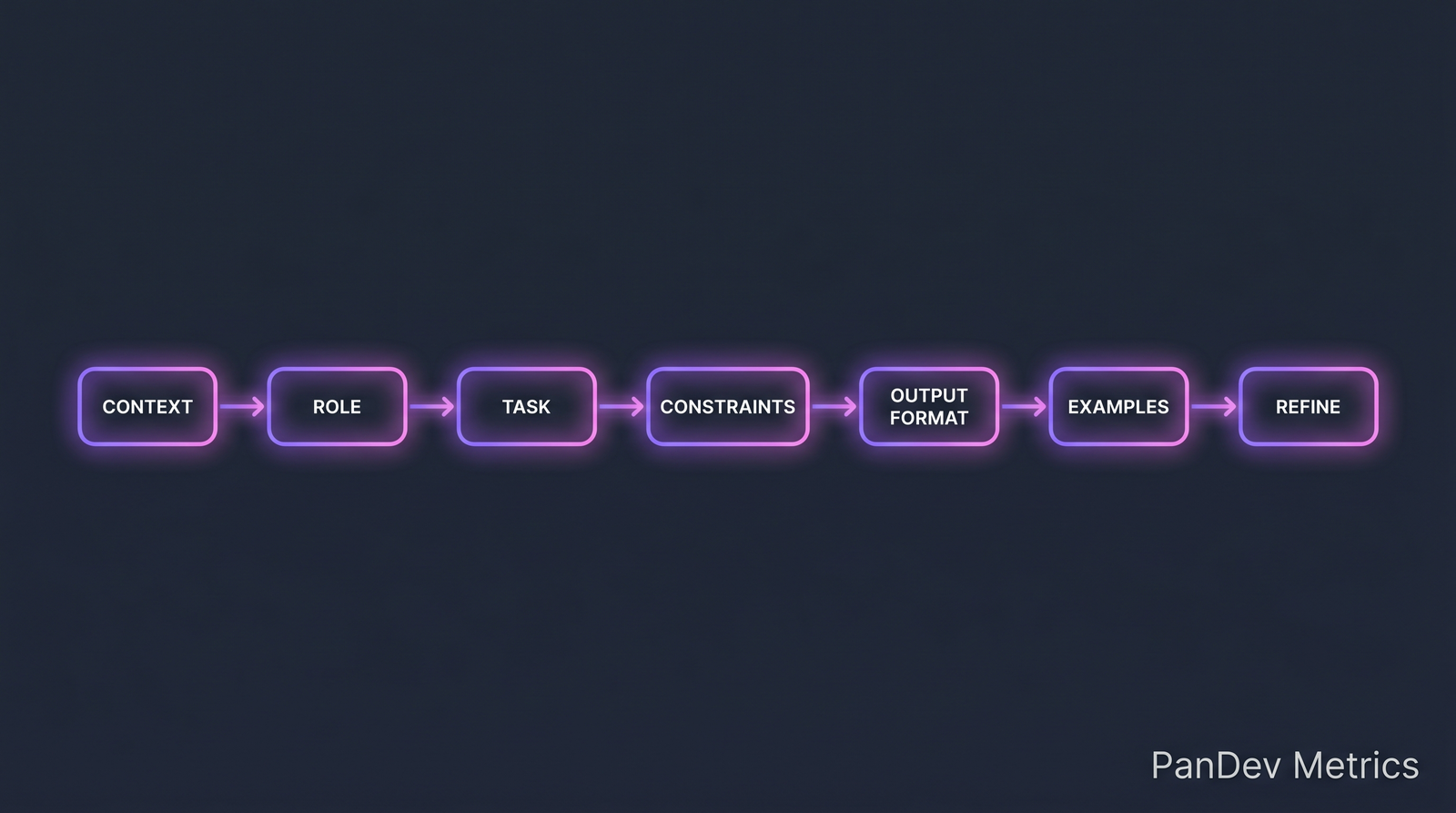 The seven-part prompt structure that works for code generation. Teams converge on variations of this.
What to share, what to keep individual
Shared (team-level):
- Code style conventions (naming, structure, error handling)
- Test patterns (framework, assertion style, mocking conventions)
- Architectural constraints (layering rules, forbidden patterns)
- Security rules (input validation, secret handling, auth patterns)
- Documentation expectations (JSDoc/TSDoc, comment density)
Individual (developer-level):
- Cognitive style (some devs want step-by-step reasoning, others want one-shot answers)
- Personal shortcuts and aliases
- Task-specific context not generalizable (e.g. "I'm debugging the payment flow specifically")
The shared set goes into a team prompt library (.cursor/rules, .github/copilot-instructions.md, or whatever your tool uses). The individual set stays in the developer's head or personal config.
The 7-part prompt structure
A useful prompt for code tasks has seven components. Omit at your cost:
| Part | What it does | Example |
|---|---|---|
| Context | Grounds the model in the situation | "We're working on a Node.js/Express API handling payments, using TypeScript strict mode." |
| Role | Sets behavior expectations | "Act as a senior backend engineer reviewing this code for safety." |
| Task | Specific thing to do | "Refactor this handler to separate validation, business logic, and persistence." |
| Constraints | What NOT to do | "Do not introduce new dependencies. Maintain existing error types." |
| Output format | How to present the answer | "Return the full refactored file plus a bullet list of behavioral changes." |
| Examples | Anchor the style (few-shot) | "Here's how we structure similar handlers: [example]" |
| Refine | Follow-up affordance | "If context is ambiguous, ask before assuming." |
Most teams get Task and Context right and skip the rest. The compounding value comes from Constraints (prevents the model from helpfully breaking things) and Examples (teaches style faster than rules).
The prompt library: what belongs in version control
Structure a prompt library as named, composable prompts. Here's a minimal shape used by one of our clients:
.team-prompts/
  rules/
    style.md          # team code style
    testing.md        # test patterns
    security.md       # security rules
  templates/
    new-endpoint.md   # template for new API endpoint
    new-component.md  # template for new React component
    refactor-legacy.md
    add-tests.md
  examples/
    handler-example.ts
    component-example.tsx
Each template file has the 7 parts filled in. Developers invoke via tool-specific mechanics (@new-endpoint in Cursor, #new-endpoint in Copilot Chat).
The killer feature: a developer who has never used AI productively can invoke a tested team template and get good results their first day. The library is the shared muscle memory.
Metrics that tell you it's working
Four measurable things:
| Metric | Healthy range | Warning sign |
|---|---|---|
| % of AI-suggested code that merges without rewrite | >60% | <40% |
| Time saved per developer per week (self-report) | 3-8 hours | <1 hour (tool isn't sticking) or >15 hours (overtrust risk) |
| % of team using shared templates (at least weekly) | >70% | <30% means library is dead on arrival |
| Defect rate in AI-origin code vs hand-written | Equal or lower | Higher suggests insufficient review |
The over-trust risk matters. Developers who report "15 hours saved per week" usually overestimate — and usually merge AI code with less scrutiny than hand-written. A 2024 GitClear study found repositories with heavy Copilot usage showed +25% churn (code reverted within 2 weeks) compared to non-Copilot repos. Productivity gained in generation is partially lost in rework.
Common failure modes
1. The untested sample
Someone writes a "perfect prompt" in a Slack channel. Nobody tests it on 5 real tasks. It gets copied into the team library. Three months later, everyone is cursing the template and nobody knows who owns it. Fix: every template has a CODEOWNER and test cases (3-5 real examples with expected outputs).
2. The bloated rules file
A team's Cursor rules file grows to 400 lines. Every developer has a complaint about one rule, nobody wants to delete rules others added, everyone gets worse suggestions because the model is drowning. Fix: rules file has a line budget (50-80 lines). Prune quarterly.
3. The conflicting templates
Two templates for "new endpoint" exist — one old, one new — and developers don't know which one is current. Fix: single source of truth, deprecate old, delete after grace period.
4. The hidden hero
One developer writes great prompts. Nobody else learns, because they just ping that developer. Fix: pair-prompt sessions in sprint retros. Make the knowledge flow across the team.
How to roll out a team prompt practice
A 4-week adoption plan that works:
Week 1 — Audit current usage. Survey the team: who uses what tool, what works, what doesn't. Identify 2-3 power users to co-author the library.
Week 2 — Draft 3 templates. Not 20. Three of the highest-frequency tasks (new endpoint, add tests, refactor). Power users draft; the team reviews.
Week 3 — Trial run. Every developer uses a template at least once. Collect friction notes.
Week 4 — Iterate and formalize. Move templates into the repo with CODEOWNERS. Set quarterly review cadence. Add to onboarding.
Teams that try to launch with 20 templates fail. Teams that launch with 3 good ones succeed and grow the library organically over 6 months.
How PanDev Metrics fits here
Two applications that map directly to measurement:
AI-origin code tracking. Our Git integration can flag commits that originate from AI-assisted sessions (detected via IDE signal: prolonged periods of high output velocity without typing cadence match human). Comparing AI-origin commit quality (defect rate, review cycles, revert rate) to hand-written gives you a hard number on whether AI tooling is a net positive for your team.
Template adoption as a signal. We can correlate PR patterns with template usage — if a developer's PRs consistently follow the structure of a template, the library is working. If patterns are fragmented across developers, the library isn't being used.
This complements our research on the AI copilot effect — which found Cursor users coded 65% more than VS Code users, but didn't distinguish between "more code shipped" and "more code written that gets reverted." A well-run prompt library closes that gap. For the broader measurement framing, see our AI Assistant deep-dive.
The honest limit
Our dataset sees IDE activity and Git events, not prompt content itself — we don't know what you prompted, only that the session produced code. The numbers on prompt library ROI (35% acceptance lift) come from GitHub's published Copilot research, not our telemetry. We can tell you if AI tools are helping your team ship more; we cannot tell you which of your prompts is the good one.
Also: prompt engineering is moving fast. A technique that works today may be redundant when the next model ships. Invest in the practice (libraries, review, iteration) more than specific prompt content.
The sharpest claim
The team with the best prompts in 2026 won't be the team with the cleverest individual prompter. It will be the team that treats prompts like code: version-controlled, reviewed, deprecated, owned. The same practices that made your codebase maintainable will make your prompt library maintainable. The teams skipping this step are reinventing ad hoc knowledge management, and they'll lose to the teams that didn't.
Related reading
- The AI Copilot Effect: Cursor users code 65% more — the baseline usage data
- AI Assistant: Natural Language Metrics — how PanDev's own AI assistant is built
- Code Review Checklist 2026 — where AI-origin code gets evaluated
- External: GitHub Copilot Research (Kalliamvakou et al., 2024) — measured impact of prompt libraries
- External: Stack Overflow Developer Survey 2024 — usage and trust baseline