Personal workspace quick start
TL;DR. A personal workspace is a single-user PanDev Metrics account that follows you, not your employer. You'll see your real coding hours, deep-work patterns, AI-tool usage, and achievements — and the data is yours, visible only to you, portable when you change jobs. Setup takes about 10 minutes: sign up, install one IDE plugin, point it at the cloud, and start coding as usual.
Before you begin
- A personal email (use any address — this account is yours, not your company's).
- One supported IDE you actually code in.
- 10 minutes.
A personal workspace is separate from any company workspace you might also use. Your personal data never appears in a team's analytics, and team data never leaks into your personal view.
1. Create your personal workspace
Sign up at workspace.pandev.io with a personal email or via Google. Confirm your email and sign in.
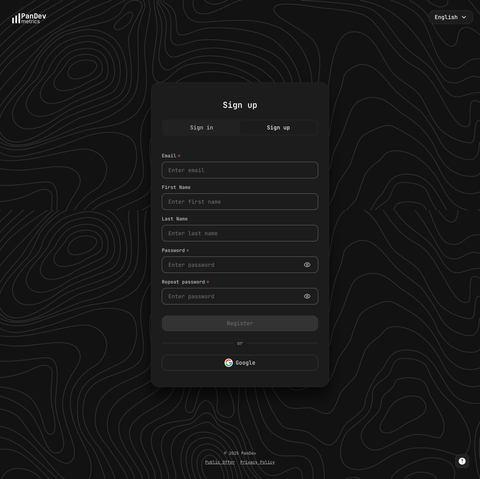
When you skip the "Create company" step, the workspace stays personal — single user, single dashboard, no admin surface.
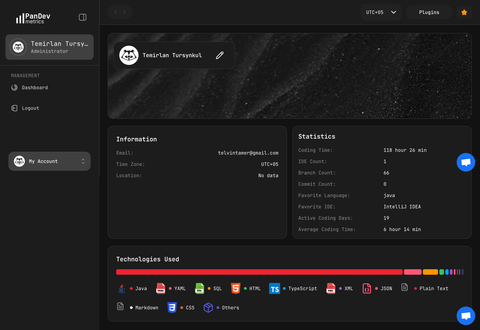
2. Open your dashboard
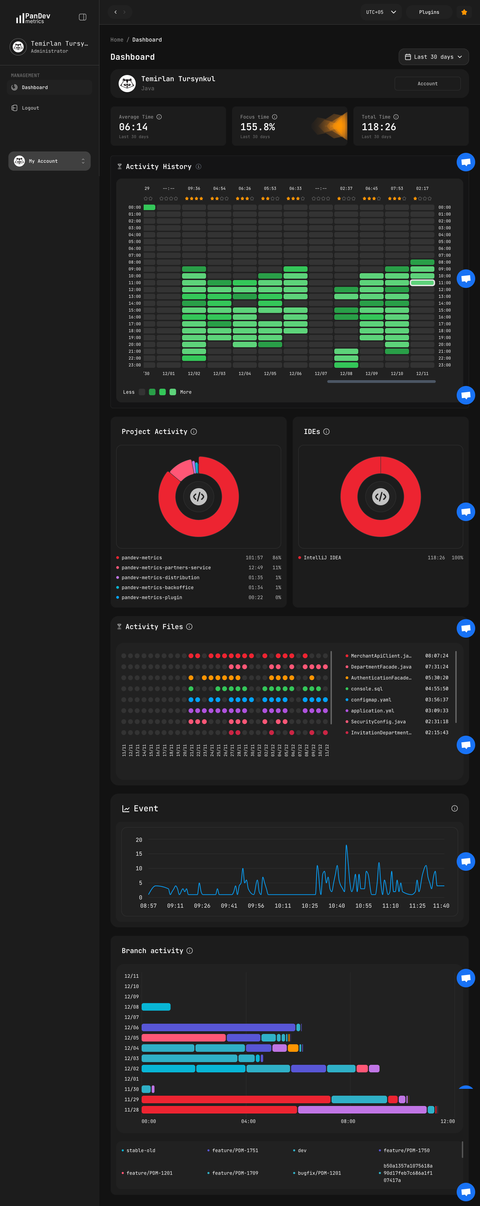
After sign-in, you land on your personal dashboard. It will look empty until the plugin sends its first heartbeat — that's the next step.
3. Install the IDE plugin
Pick the IDE you actually use most. The plugin is the thing that turns your editing into metrics — no plugin, no data.
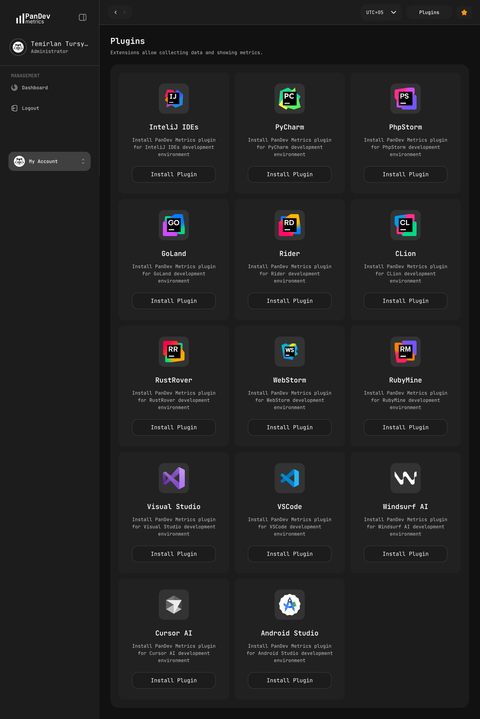
Supported IDEs:
- JetBrains: IntelliJ IDEA, PyCharm, WebStorm, PhpStorm, GoLand, Rider, CLion, RustRover, RubyMine, Android Studio
- Visual Studio (all versions)
- VS Code and forks (Cursor, Windsurf)
- Xcode
- Eclipse and Eclipse-based IDEs
Configure the plugin
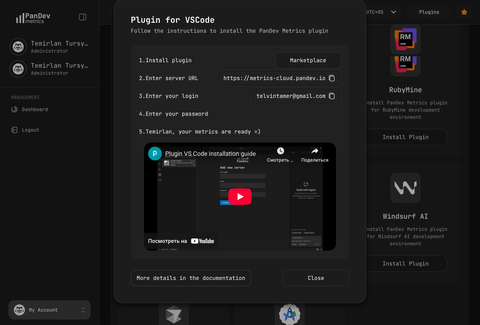
Sign in with a token. Open Settings → Plugins, click your plugin, and copy the value from the Enter your token step — it starts with pandev_. Paste it into the plugin and save. That is all the plugin needs: the server address and the workspace are inside the token.
Because you are signed into a personal workspace, the token is issued for that workspace and the session counts as personal.
The plugin sends events: file edits, scrolls, opens / closes, AI prompts. It never reads or uploads the contents of your files.
4. Code as usual for a few hours
Open your project and code as you normally would. The plugin builds a queue locally and ships it to PanDev Metrics in the background — including a queued send when you go offline and come back online.
5. See your first metrics
Reload the dashboard after a short coding session. You should see your IDE hours, deep-work blocks, AI-tool usage, and any commits picked up from your local Git history.
6. Check your achievements
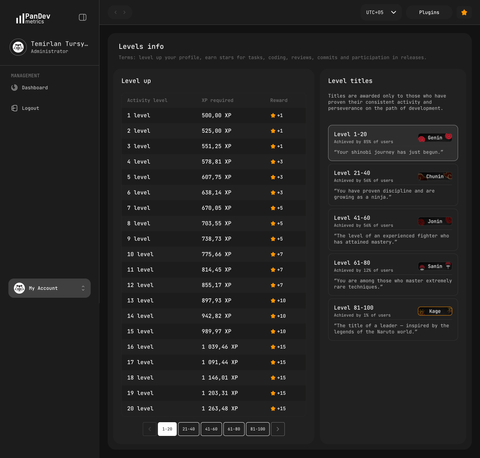
A personal workspace ships with gamification — achievements for coding streaks, deep-work milestones, language coverage. Open the Achievements tab to see what you've unlocked.
Verify
You're set up when all of the following are true:
- You can sign in at workspace.pandev.io
- The IDE plugin shows "Connected" with
metrics-cloud.pandev.ioas the server URL - After a coding session, the dashboard shows IDE hours for today
- No company name appears in your workspace switcher (it really is personal)
Privacy and control
- Only you see your data. A personal workspace has no admin, no team, nobody else with access.
- Source code never leaves your machine. PanDev Metrics records events, not file contents.
- History is portable. Your metrics stay tied to your personal account when you change jobs.
- It coexists with company workspaces. You can be a member of any number of company workspaces without crossing data between them.
FAQ
Will my company see my personal metrics?
No. Personal and company workspaces are separate accounts. Even if you use the same plugin install, the company workspace only collects sessions where the plugin is configured with that company's login.
How do I track my work for a company too?
Configure the plugin with your company workspace credentials when you work on company projects. Many IDEs let you keep multiple plugin profiles — switch as needed.
Are there any limits on the personal workspace?
You get the full metrics surface — IDE hours, deep-work, AI-tool usage, Git stats, achievements. Some org-level features (departments, teams, finance) don't exist in a personal workspace because there is no team.
Can I delete my personal workspace?
You can archive it from the workspace settings; PanDev Metrics doesn't hard-delete, so your account is recoverable later if you change your mind. Reach out to support if you need a permanent erase.
What if I want to upgrade to a team workspace?
Create a separate company workspace (it's another sign-up flow) and invite teammates. Your personal data stays separate. See Cloud quick start.
Next steps
- Install another IDE plugin — cover every editor you use
- Browser extension — also track web activity
- Create a team workspace — when you're ready to collaborate
Related
- Concept: What PanDev Metrics tracks — events, not source code
- Reference: Supported IDEs — the full list with install steps