Release 2.14.0 — A new Department metrics page, flow metrics for every tracker, Development time and onboarding
Release date: 2026-11-05
The Department metrics page was rebuilt and is in beta: flow metrics are now computed from Jira, YouTrack, ClickUp, Linear, Yandex Tracker, Azure Boards, Bitrix24 and Notion tasks, teams can be compared side by side, and AI Datavisor answers right on the page. The Development time card shows human and AI hours per day next to the company target, new users are greeted by onboarding, and a What's new window tells you about every release.
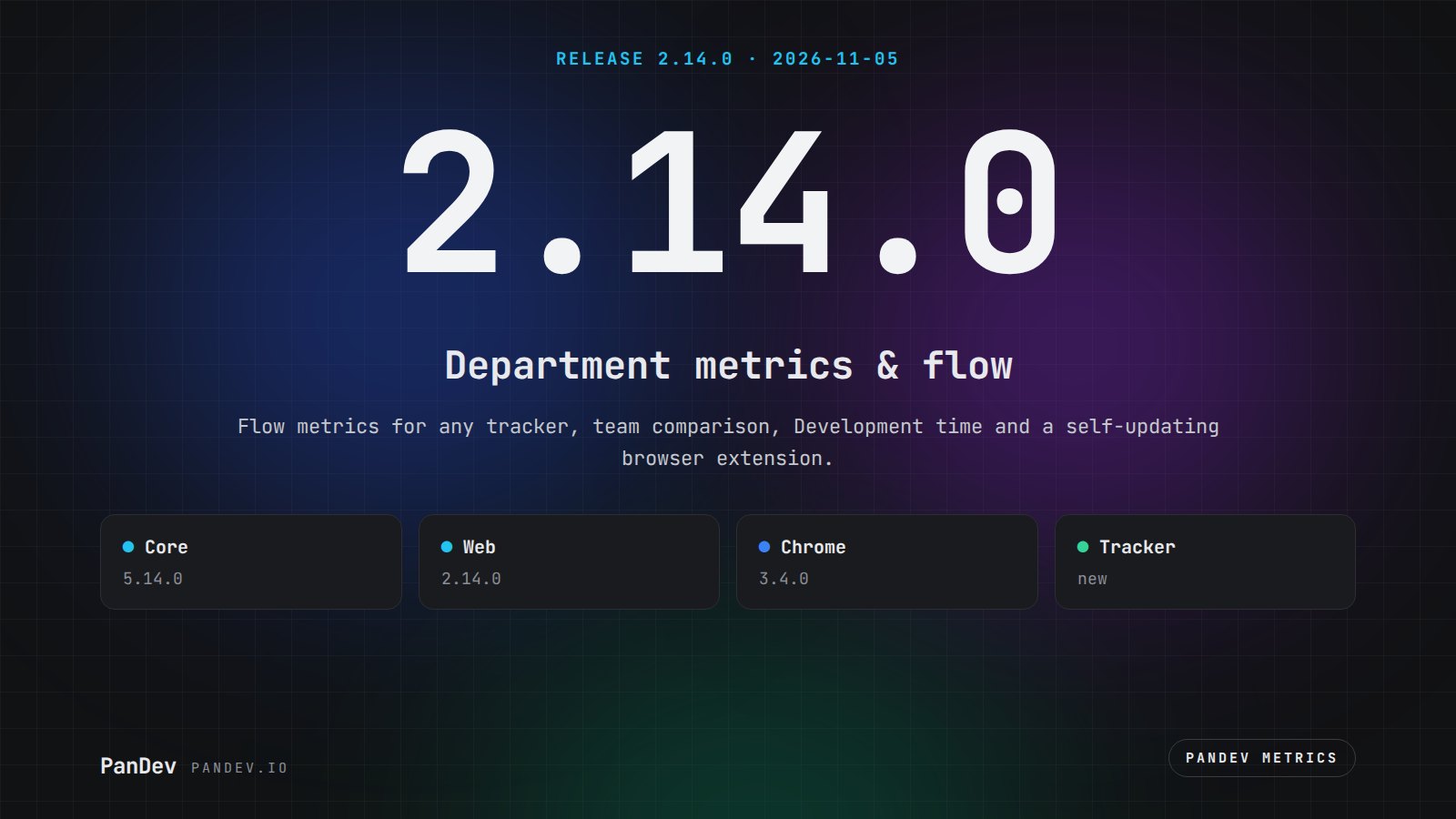
Components included:
PanDev Metrics Core
Version: 5.14.0
PanDev Metrics Web (backoffice)
Version: 2.14.0
PanDev Metrics Chrome (browser extension)
Version: 3.4.0
PanDev Tracker (desktop, beta)
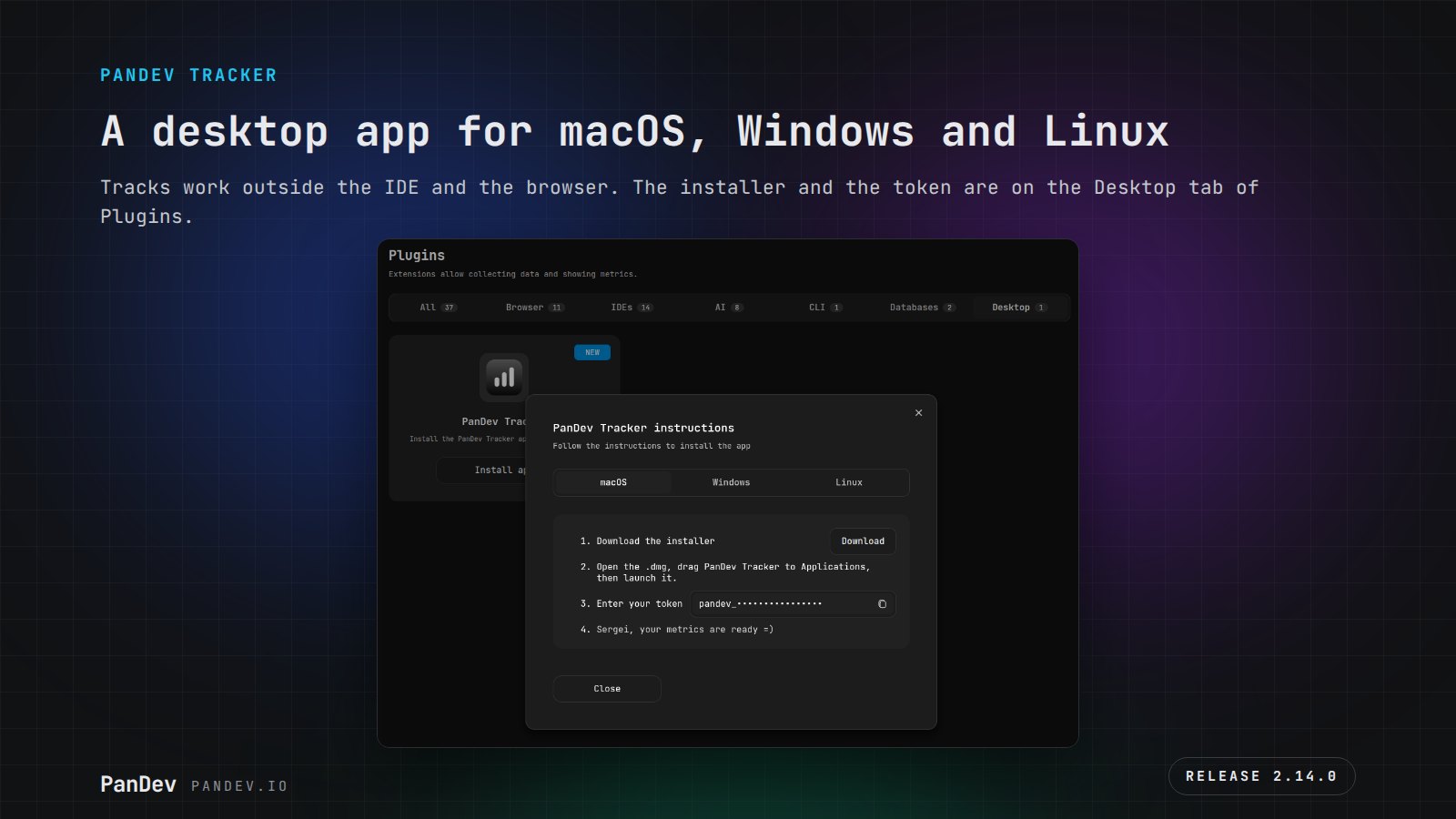
A new app for macOS, Windows and Linux — install it from the Plugins page, Desktop tab.
The CLI plugin and the IDE plugins ship unchanged — CLI 2.5.22 from release 2.13.0, the IDE plugins on the versions published with 2.11.0 (Cursor / Antigravity 2.5.0, DBeaver 1.2.0, Eclipse 1.4.5).
Highlights
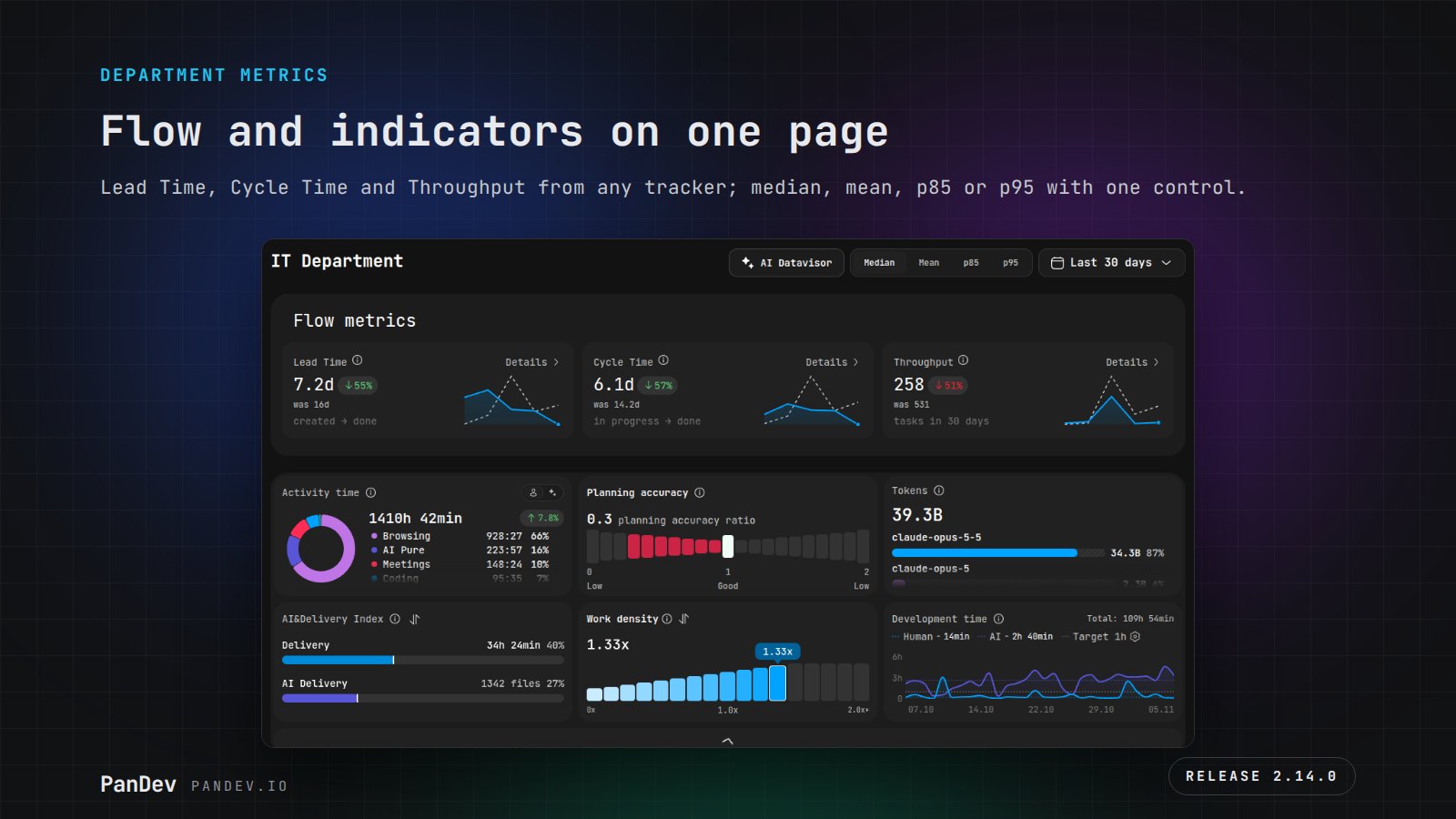
- A new Department metrics page (beta). The page was rebuilt on one design: flow metrics (Lead Time, Cycle Time, Throughput) on top, then the indicators, a DORA block with failure rate, time to restore and the list of production failures, Teams Overview, Team workload, and daily Throughput and Defects charts. Durations switch between median, mean, p85 and p95 with one control in the header, and every card has "Details" with week-by-week dynamics.
- Flow metrics for any tracker. Lead Time, Cycle Time and Throughput are computed from Jira, YouTrack, ClickUp, Linear, Yandex Tracker, Azure Boards, Bitrix24 and Notion tasks, not only Task Flow. The core re-reads each tracker's status history and maps statuses to queue, in progress, done and cancelled — by the tracker's own category, or by the status name where the tracker has none.
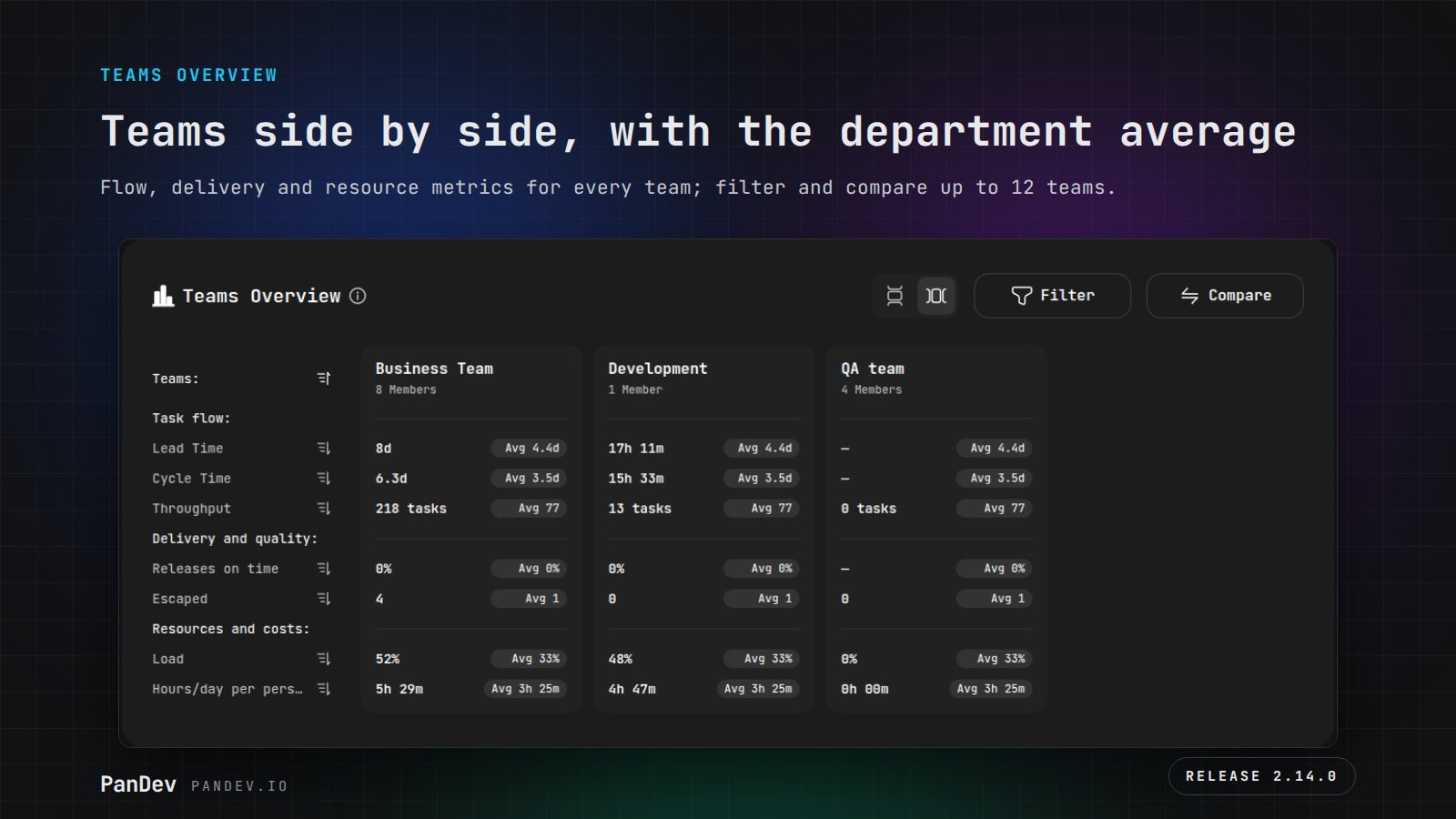
- Teams Overview with comparison. Metrics of every team in the department — as cards or a list, with a filter and up to 12 teams compared side by side; each metric shows the previous period of the same length.
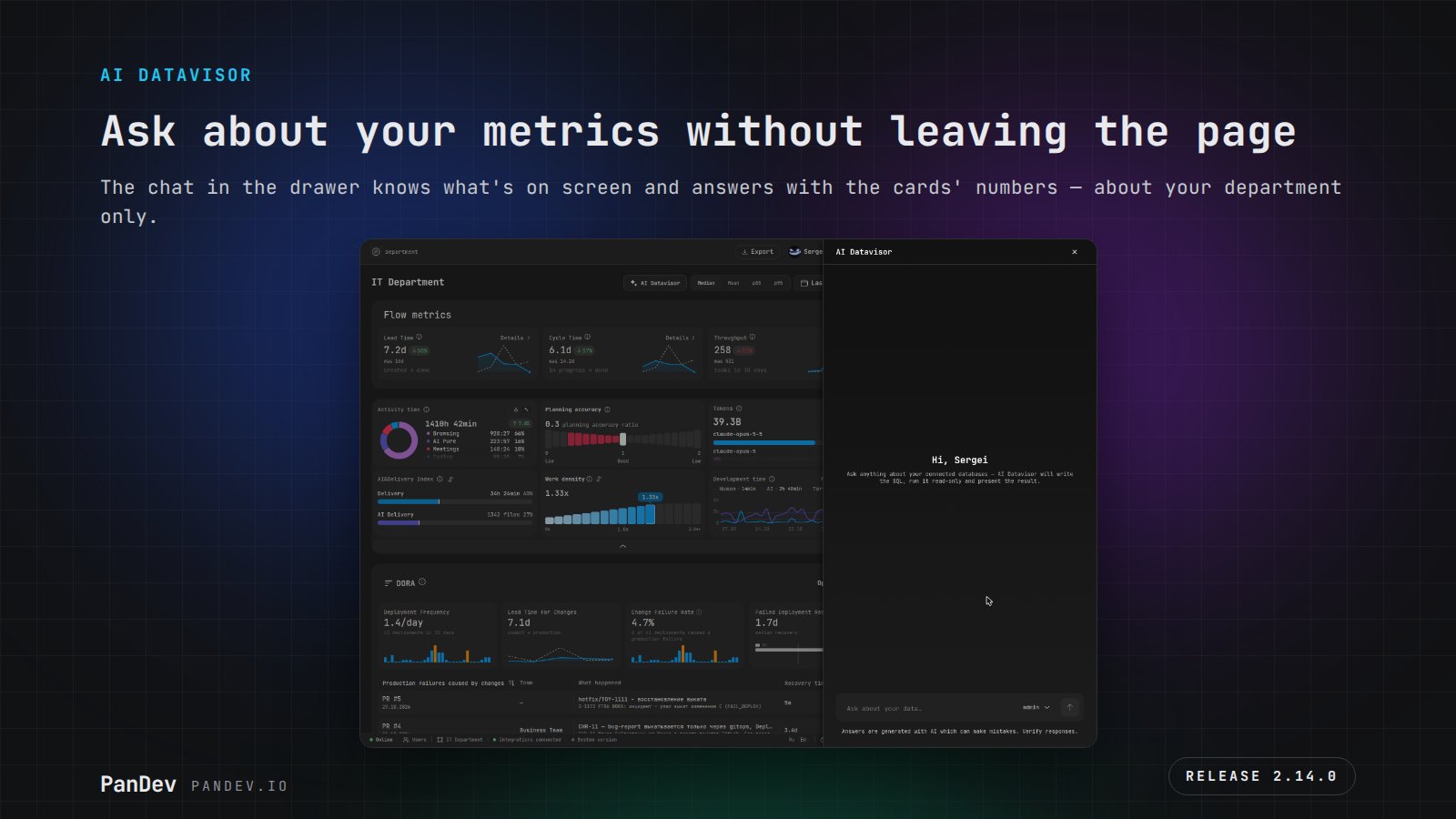
- AI Datavisor right on the page. The AI Datavisor button in the Department metrics header opens a chat that knows what's on screen and answers with the same numbers as the cards — about your department only.
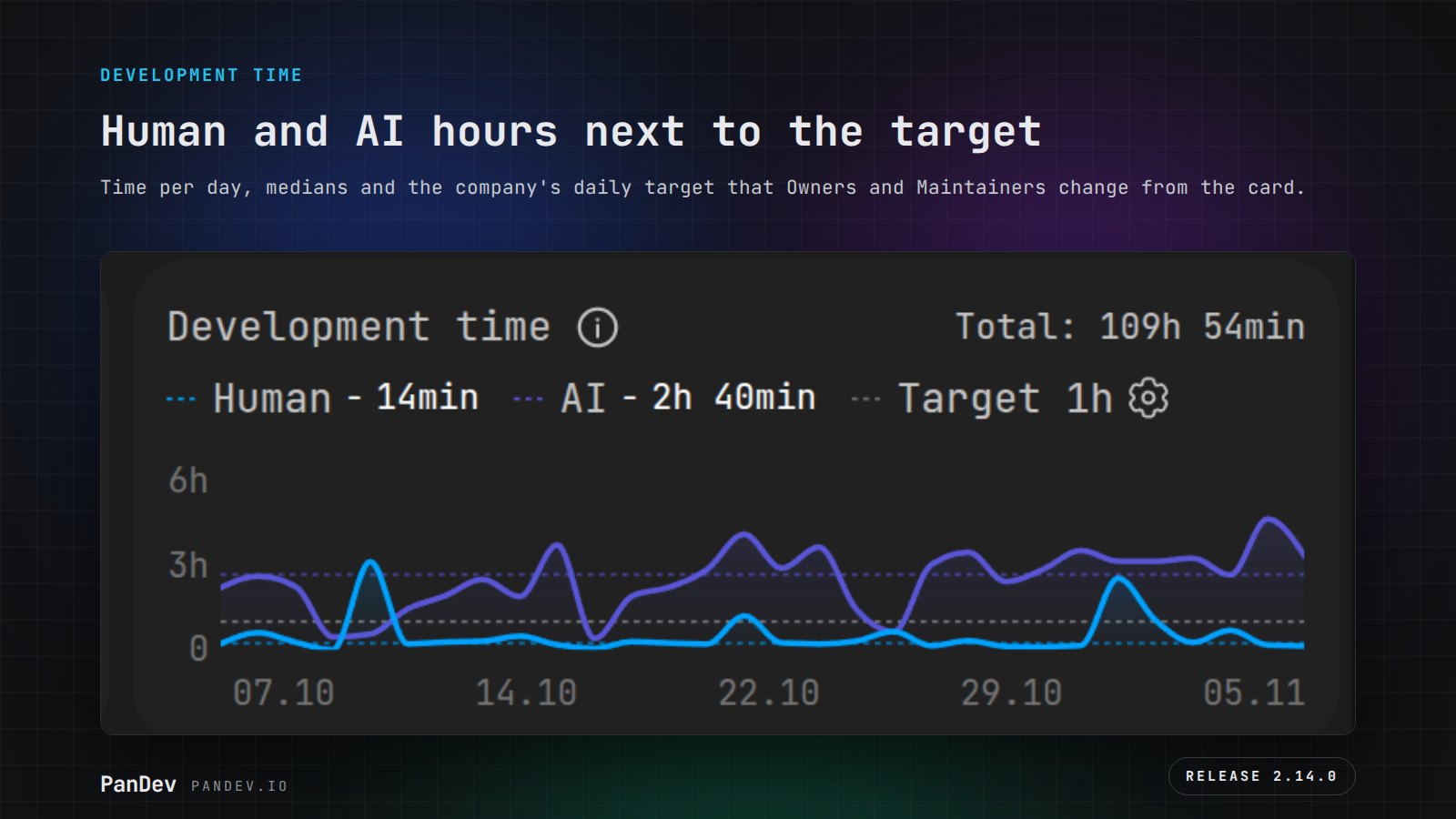
- Development time instead of percentages. The new card shows how many hours a person spent in development and how much of it AI worked — per day, with medians and the company's daily target. Owners and Maintainers change the target right from the card.
- Onboarding and What's new. New users are walked through setup step by step: organization, integrations, invites, plugins, teams. Empty pages explain what's missing, and the What's new window in the footer tells you about every release — inside the product, on-prem without internet access included.
- One department, no clutter. The company owner can turn multi-department mode off: the department picker, department filters and creating new departments disappear from the interface.
- The browser extension updates itself. Version 3.4.0 counts a Google Meet call even when the tab isn't in focus, the browser is minimized or you're sharing your screen, comes back to life after the computer wakes up, and works in every open tab right away. Update the extension once — after that it updates on its own.
- PanDev Tracker for desktop (beta). A new app that tracks work in applications outside the IDE and the browser; installers for macOS, Windows and Linux are on the Desktop tab of the Plugins page.
PanDev Metrics Core 5.14.0
- Flow metrics for external trackers. A status category catalog per department and tracker; the status history of Jira, ClickUp, YouTrack, Linear, Yandex Tracker, Azure Boards, Bitrix24 and Notion is re-read in full, with the initial status and in one time zone. Throughput is returned for the period, durations as median, mean, p85 or p95. A disabled tracker is excluded from flow metrics entirely.
- DORA and SDLC by one rule. Deployments, failures and lead time are counted the same way on the DORA page and on Department metrics; deployment frequency and Change Failure Rate share one deployment count. A deployment lands only in its own service, a deployment from an unknown repository is rejected, and the page counts the department selected in the footer. The MR open time is stored for all four git providers — for the Coding Time stage.
- The CI token doesn't leak. The token from a deployment URL no longer stays in the DORA ingest log, in deployment columns or in a link.
- AI and Datavisor respect roles. SQL on Datavisor's built-in source can no longer read sessions, keys or integration secrets, rates and payouts are visible to the finance role only, a department admin can't reach the whole company's database, and a viewer can't start a paid AI analysis.
- AI work accounting. The new "Track all AI events" mode keeps AI work from repositories the company didn't connect and from folders without git — in presence, AI time and tokens. An AI turn in a folder with several repositories counts towards the person and no longer cuts branch and task time. In Token usage, the tokens and prompts of one branch share one row, and keys from Claude Code branch names no longer turn into ghost tasks.
- AI providers. Anthropic connects with the 5.5 models; requests to the new OpenAI and Gemini models go through — ahead of
gpt-4o-mini,gpt-4oandgpt-4.1-minibeing retired on January 14, 2027. A provider error in the chat names the cause. - Multi-department as a company option. Only the owner switches it; it can be turned off with one active department, and a new department can be created only while it's on.
- Roles. A person has one full role per department — the senior one: old Owner + Maintainer and Maintainer + Viewer pairs were removed and are no longer granted. The department role summary matches the Users cards, and My metrics opens for any role.
- Integrations. A temporary Bitrix24 502 no longer breaks task loading; a PR opened by a Bitbucket app reaches PanDev; an SSH repository URL is no longer rewritten to HTTPS; a repository with "/" after ".git" counts as a company project again. Webhooks with a broken key answer 400, and integration settings of a non-existent department answer 404 instead of 500. The MCP agent reads and searches meetings again.
- Projects with the same name. The API returns the project path next to its name.
- Lighter and faster. The unused Spring AI was removed from the core: 61 fewer libraries and 38 MB less in the native image. A site's favicon in browser events is stored as a link, not as an image of up to 262 KB.
PanDev Metrics Web 2.14.0
- Department metrics on the new design (beta). Flow metrics, indicators, the DORA block, Teams Overview as cards and a list with comparison, Team workload with the previous period and zero days, daily Throughput and Defects. The Median / Mean / p85 / p95 switch lives in the page URL, so a link opens the same view. An error and an empty period look like one clear empty state, not zeros.
- AI Datavisor in a drawer. The button sits in the page header; when the chat is unavailable, the button is inactive and its tooltip explains why.
- Development time. The card replaces Productivity for employees, personal metrics, teams, departments and roles: the period total, human and AI lines, medians and the target. The target is 1 to 24 hours in 0.5 steps; an invalid value is highlighted right at the field.
- Onboarding, empty states and What's new. A setup tour for new users and a separate one after a department is created; replay it from "?" → "Quick setup". Empty states show only when this kind of data has never existed. The What's new window remembers that you opened it — on another device too.
- Single-department mode. Interface settings → "Multiple departments"; before creating a new department we warn that it has to be set up separately.
- Plugins. A Desktop tab with the PanDev Tracker installer (beta), and app tracking. The plugin token is shown masked with a visible prefix, and reissuing or deleting it lives only on the Security tab. DBeaver installs from
cdn.pandev.io. - MCP in the cloud. The MCP connection page is open in the cloud, and a company can turn MCP off entirely.
- Track all AI events. A switch in Git General — with a confirmation that explains what will change.
- AI providers. Current Anthropic models in the form and a field for your own model.
- Projects with the same name are told apart by path — in selects, headers, breadcrumbs and charts.
- System version. Administrators see in the footer which image to pull and how to upgrade; a new version shows up even when the core didn't check the registry itself.
- DORA. An "All" tab on the DORA page, the deployment and failure windows follow the source, a failed deployment shows its version and environment, and the ingest log shows why an event was rejected.
- Task Flow. Filters persist when you move between the board, backlog, releases and archive; a "No release" filter; a release badge on the task card; the board name is edited with a click; the timeline shows time in progress and time spent; long comments collapse; archived subtasks are hidden from the card, and the dependency counter uses the real list.
- Quality of life. Repositories is on the first screen of the menu; the Kazakh letters Қ, Ұ, Ә, Ғ, Ң, Һ render in the same font; daily charts no longer lose the last day after the switch to winter time; the hour timeline scrolls with a trackpad swipe; the leaderboard says "Not connected" instead of zero; a vacation across a month boundary is no longer reset, and Schedule and time off shows where to set it.
PanDev Metrics Chrome 3.4.0
- Google Meet in the background. A call is counted when the Meet tab isn't in focus: sharing another screen, a minimized browser, work in another tab, no keyboard or mouse input. The extension's background worker tracks it, independent of captions; the call segment closes when you leave the call, switch the meeting code, close the tab or restart the browser. Site block and allow lists apply as for regular tabs.
- Activity goes to the tab where the input happened. Work in another tab during a call (Chrome opens the call in a Picture-in-Picture window) is no longer recorded for the Meet tab; writes to the activity queue are serialized and no longer overwrite each other.
- Auto-update and life after sleep. The extension checks for updates on browser start and updates itself, and the tracker comes back to life on the tab after the computer wakes up.
- Right after installation. The extension starts tracking already open tabs, including a Meet call in progress — no page reload needed.
- Lighter events. The site icon is sent as a
<origin>/favicon.icolink instead of an image of up to 260 KB in every event; the domain list shows an empty circle instead of a broken icon.
Upgrade notes
- Upgrade Core 5.14.0 and Web 2.14.0 together — the new Department metrics, onboarding and Development time need both components. Core migrations run from
V1_0_474toV1_0_488. - Multi-department. After the upgrade, a company with one active department has the option turned off, and the department picker disappears from the interface. Companies with several departments see no change. To turn it back on — Interface settings → "Multiple departments".
- Roles. If a person had two full roles in a department, the senior one stays.
- Flow metrics for an external tracker appear once the core re-reads the status history. For Linear, the migration starts the re-read itself.
- OpenAI. If your AI provider uses
gpt-4o-mini,gpt-4oorgpt-4.1-mini, switch the model before January 14, 2027 — OpenAI retires them on that date. - Track all AI events is off by default: nothing changes until an administrator turns it on in Git General.
- Browser extension: update to 3.4.0 once — after that it updates on its own. Google Meet time may grow: a call is now counted even when its tab isn't in focus.
Download:
- PanDev Metrics Core 5.14.0:
docker pull pandevofficial/pandev-metrics:5.14.0 - PanDev Metrics Web 2.14.0:
docker pull pandevofficial/pandev-metrics-backoffice:2.14.0 - PanDev Tracker: from the Plugins → Desktop page of your workspace
- PanDev Metrics Chrome 3.4.0: from your browser's extension store; updates itself after that
- PanDev Metrics CLI 2.5.22, Cursor 2.5.0, Antigravity 2.5.0, DBeaver 1.2.0, Eclipse 1.4.5: unchanged